
Live phone preview
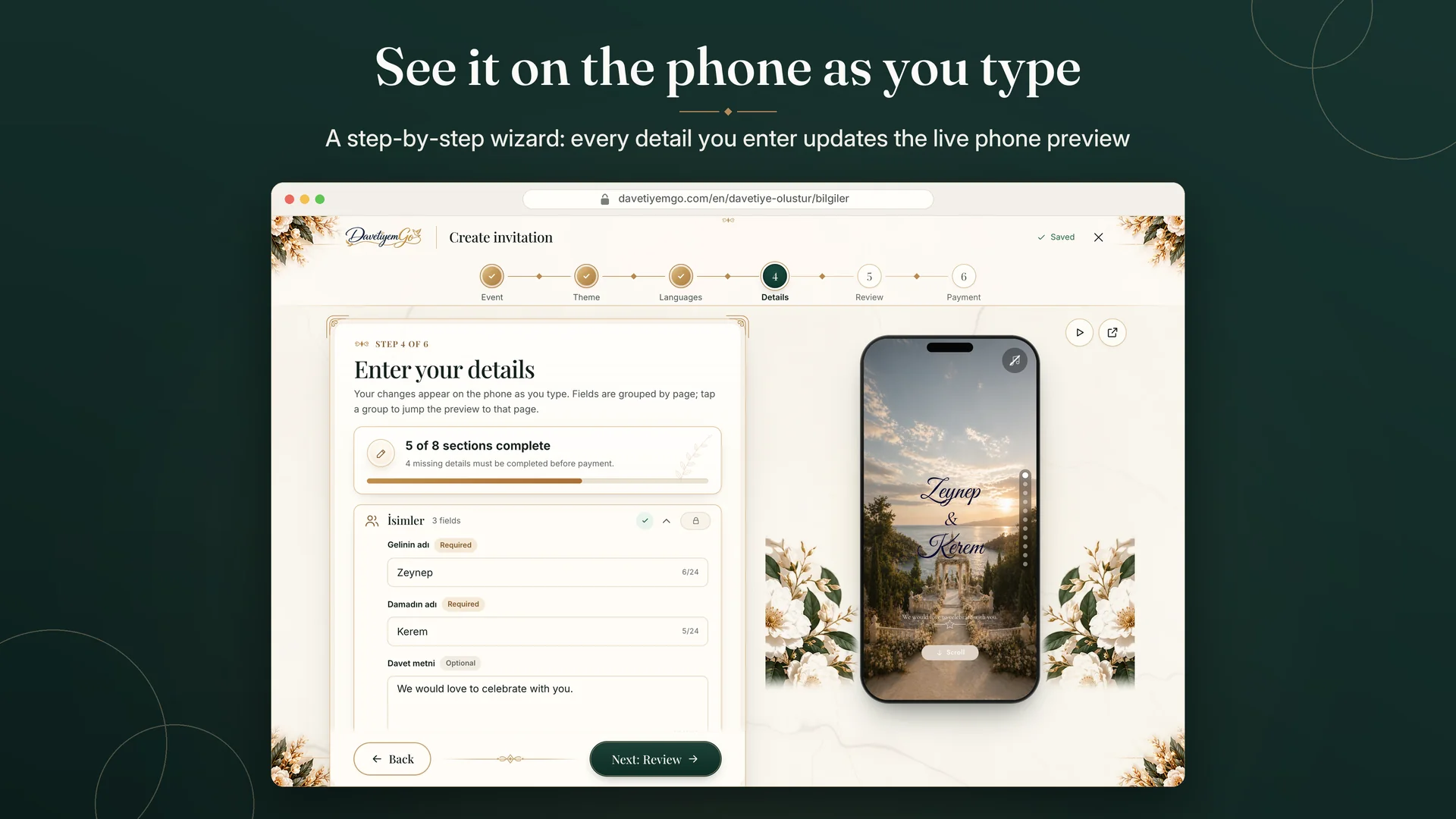
In the six-step wizard everything you type appears instantly on the phone beside you; try the invitation full screen before you pay.
 DavetiyemGo
Web service
DavetiyemGo
Web service
DavetiyemGo lets you build a phone-first digital invitation for your engagement, wedding or henna night and a wedding newspaper guests read by turning its pages and you can print in A3 / A2, share them with one link and follow RSVPs, wishes and memories from one panel.
Nothing to install · Works in the browser on phone, tablet and computer
davetiyemgo.com (opens in a new tab)How it works
Every step happens in your browser — nothing to download or install.
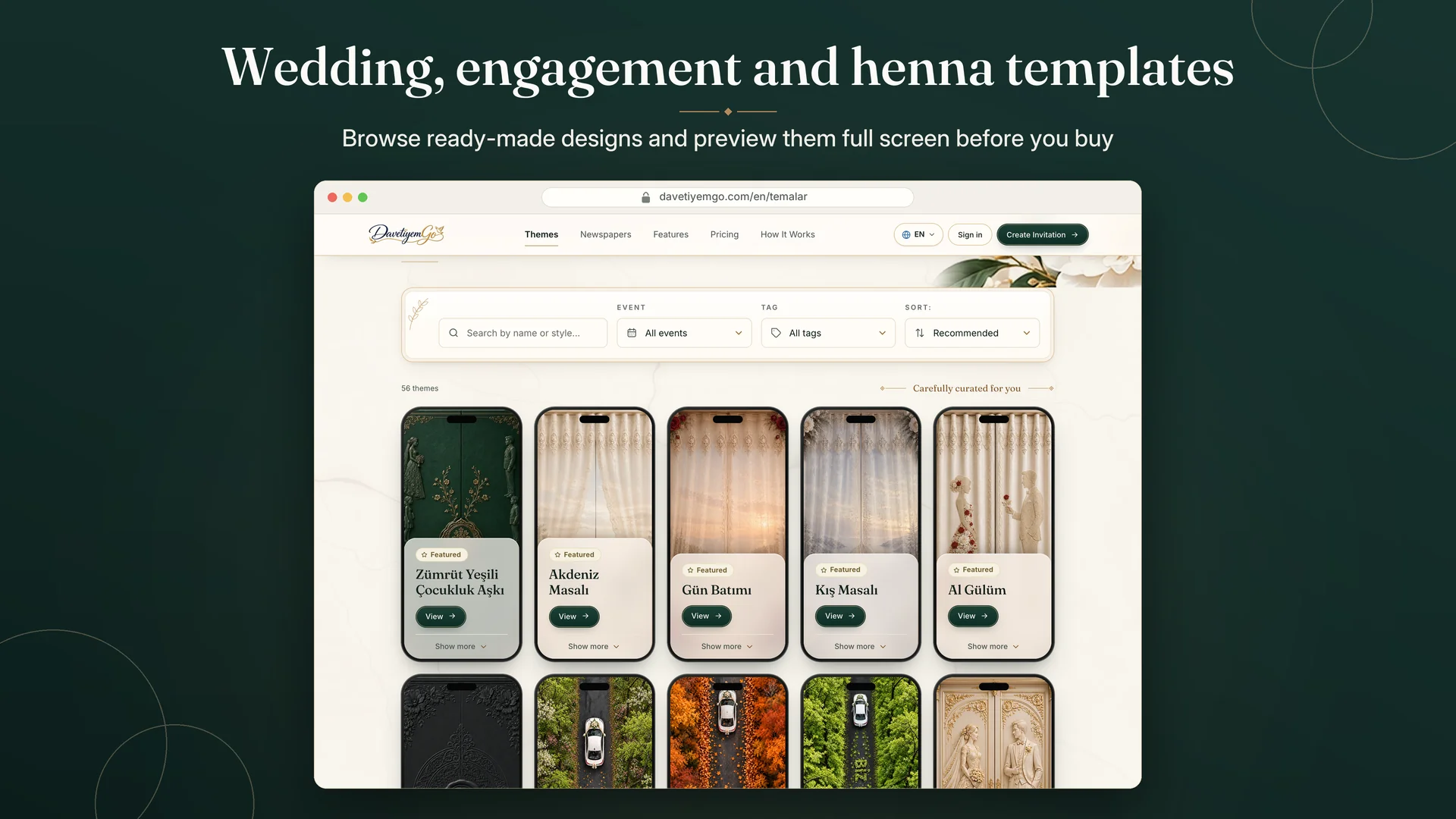
Choose an invitation template that fits your event or a newspaper template; it comes alive in the preview.
Names, date and venue for the invitation; the texts and photos on the pages for the newspaper.
One-time payment, no subscription; your invitation or newspaper goes live.
Share by link, QR code or WhatsApp, follow replies in your panel and download the newspaper's print files.
Features
In the six-step wizard everything you type appears instantly on the phone beside you; try the invitation full screen before you pay.
Begin building right away; your draft is kept for 30 days and an account is only needed at checkout.
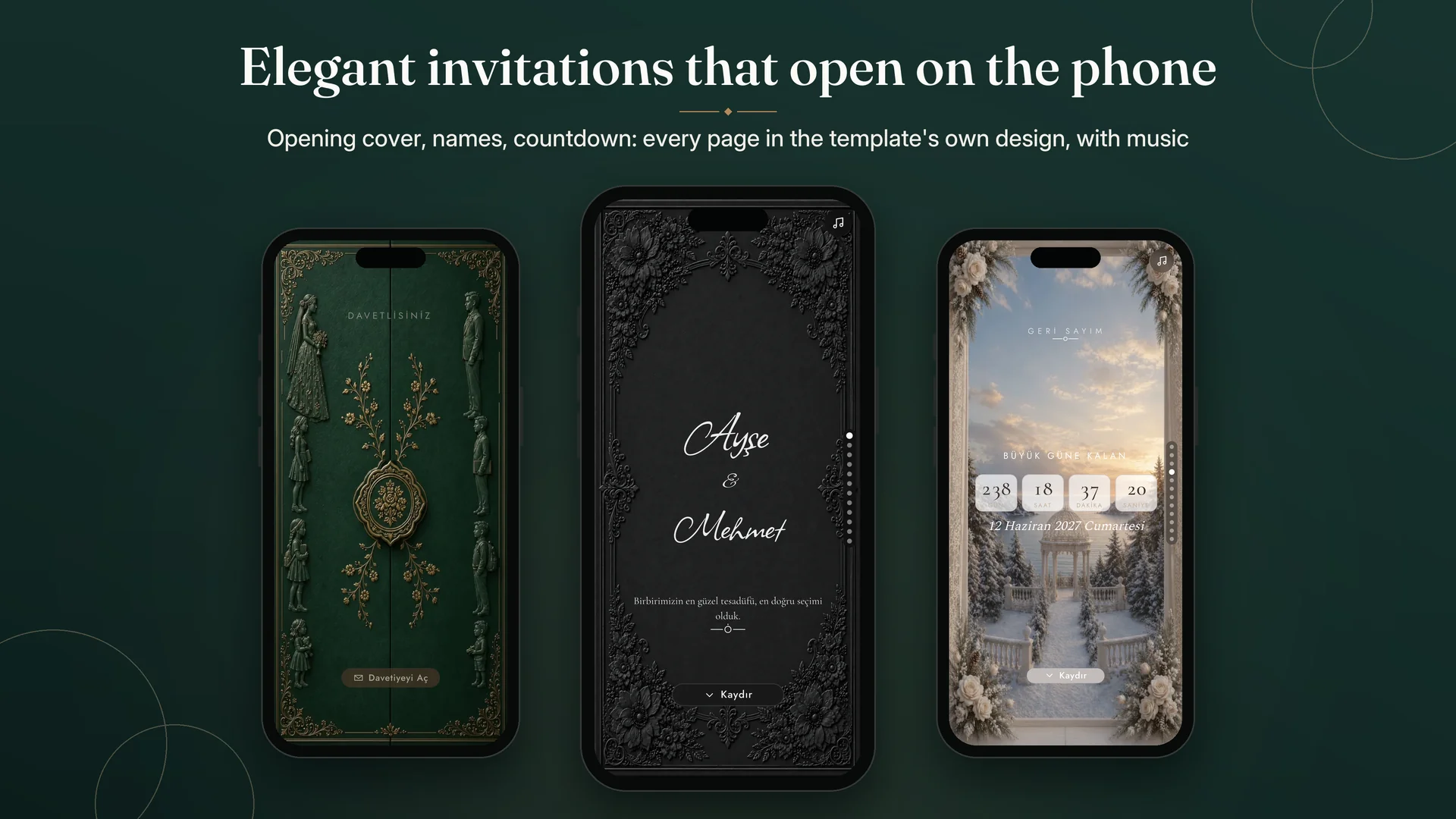
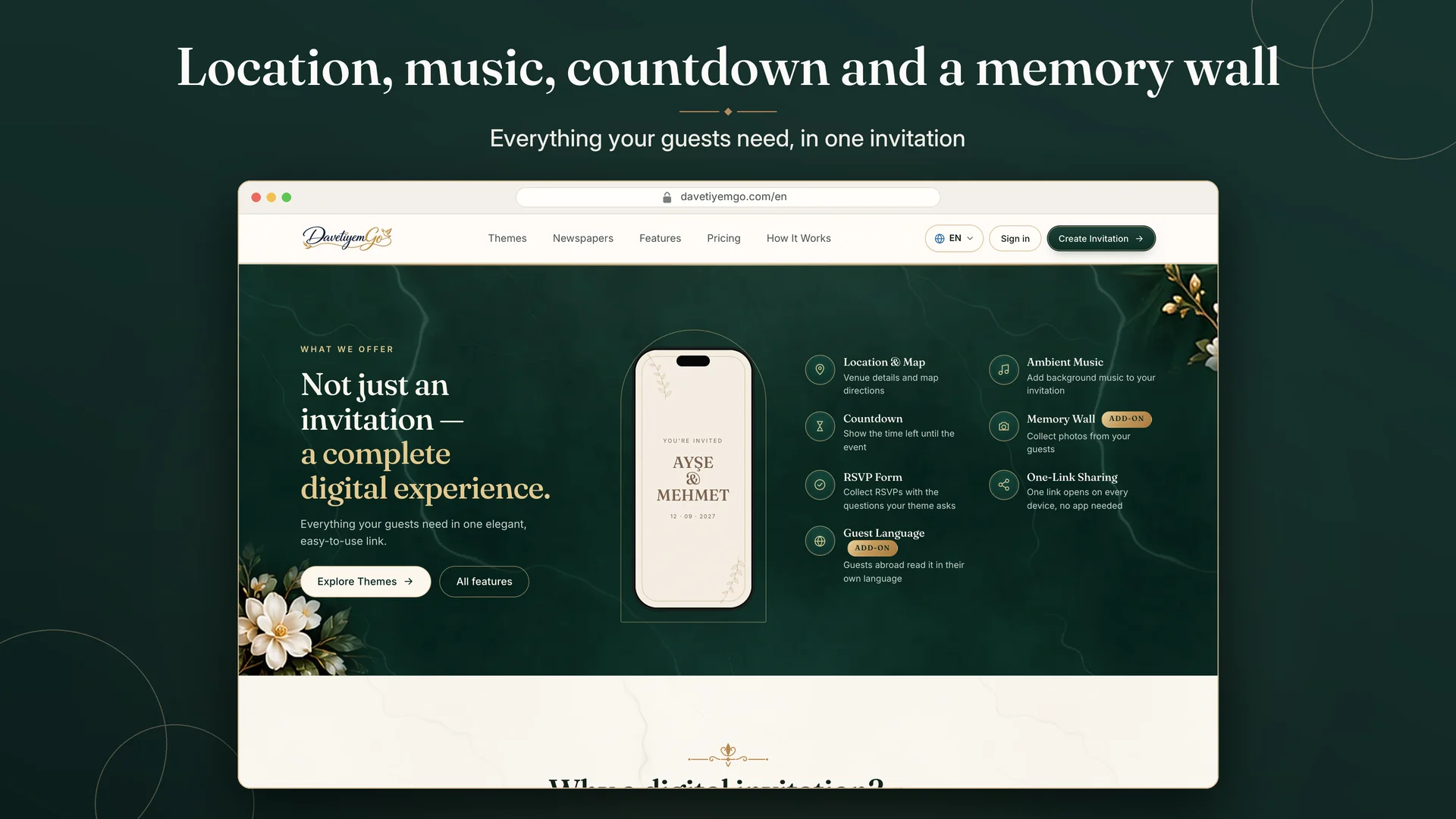
A tap-to-open cover or an opening video, with the template's music or, where the template allows, a library track or your own.
Families, event details, countdown, venue and directions, programme, menu and a gift account (IBAN) at the template's price.
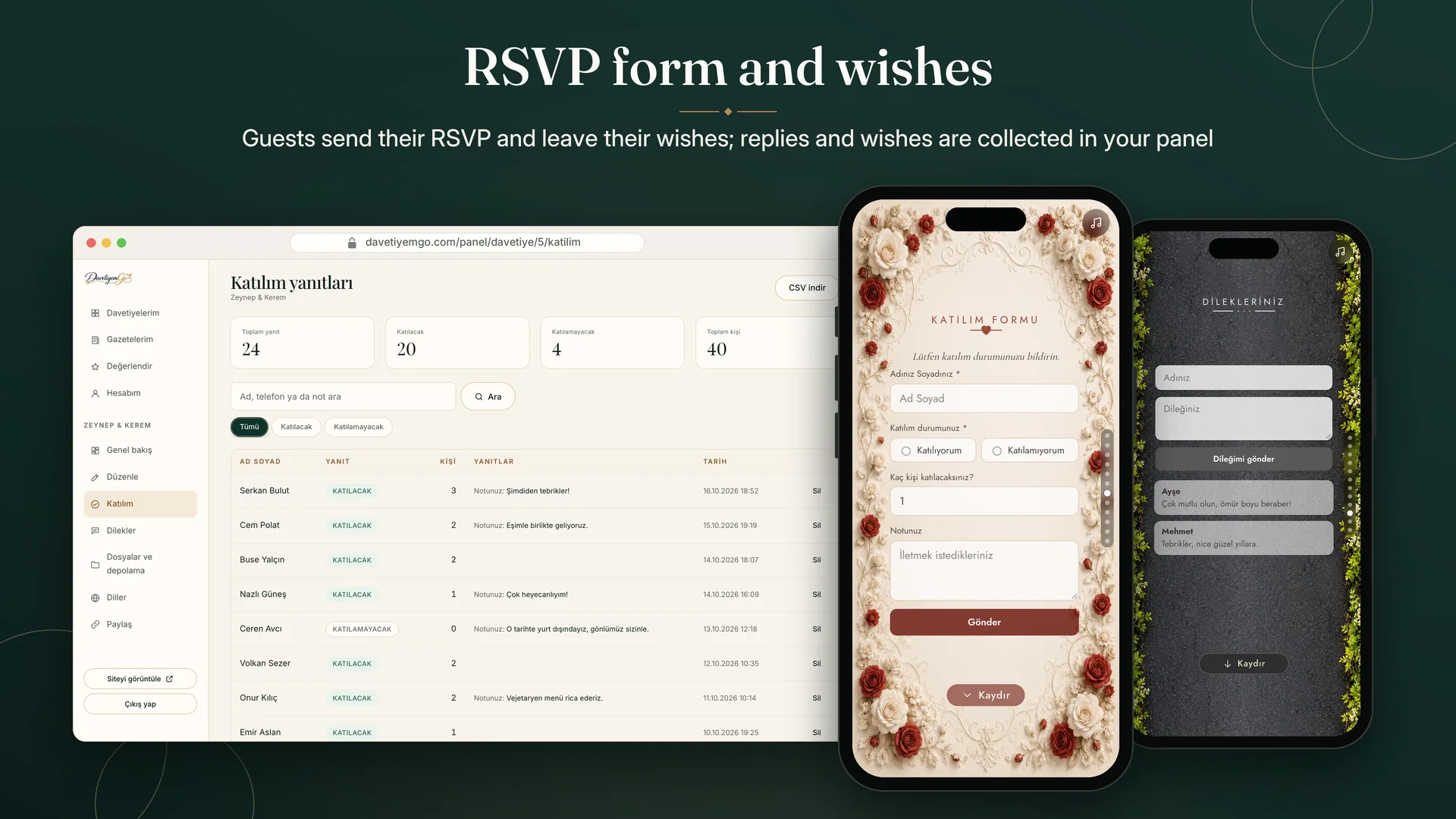
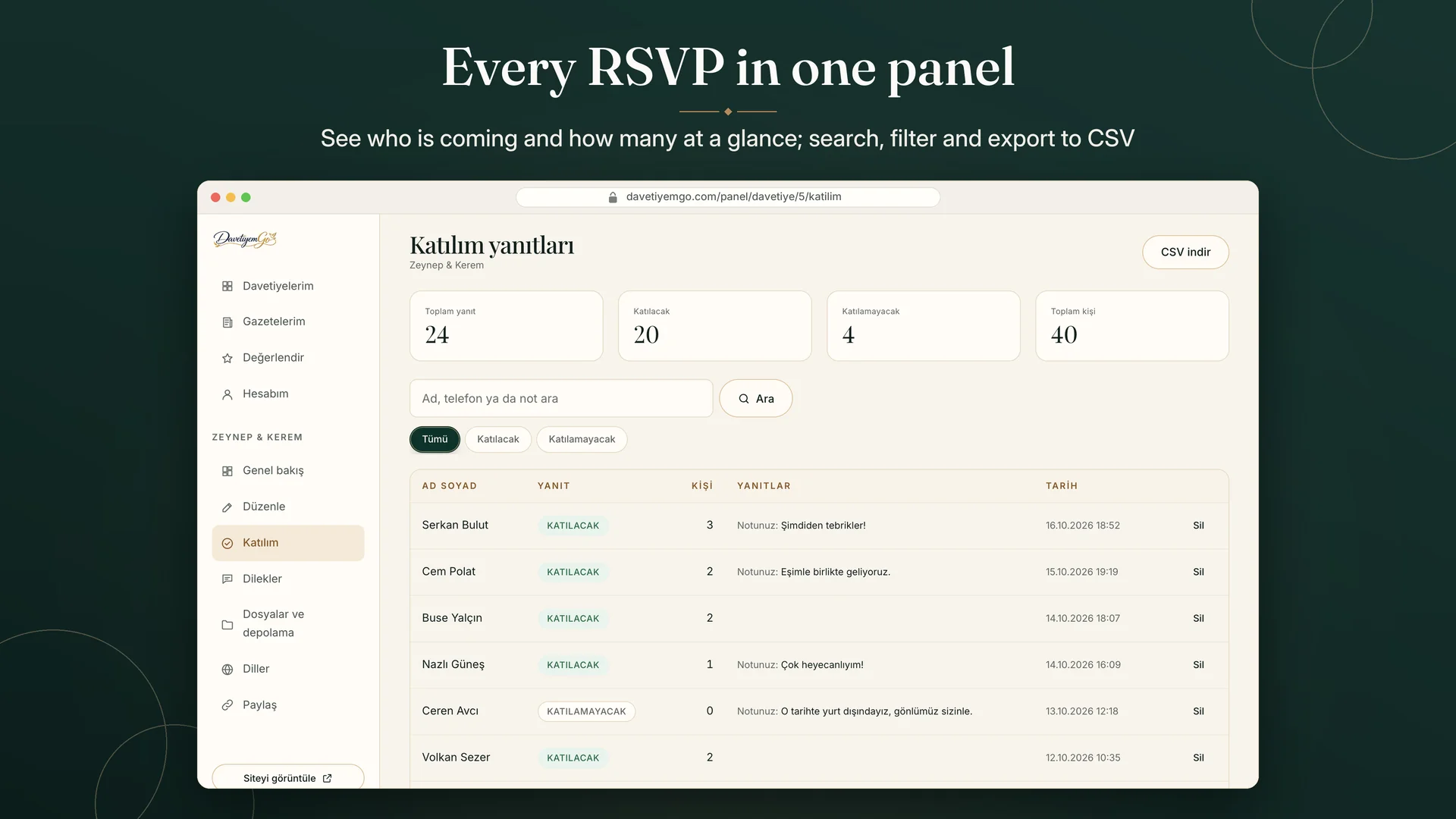
Collect replies with the template's questions; search, filter, approve, export to CSV and get an optional daily e-mail summary.
Approve or hide wishes in your panel; with the Memory Wall add-on collect photos on the event day and download them as a ZIP.
With the Extra Language add-on one invitation is published in several languages and guests choose theirs.
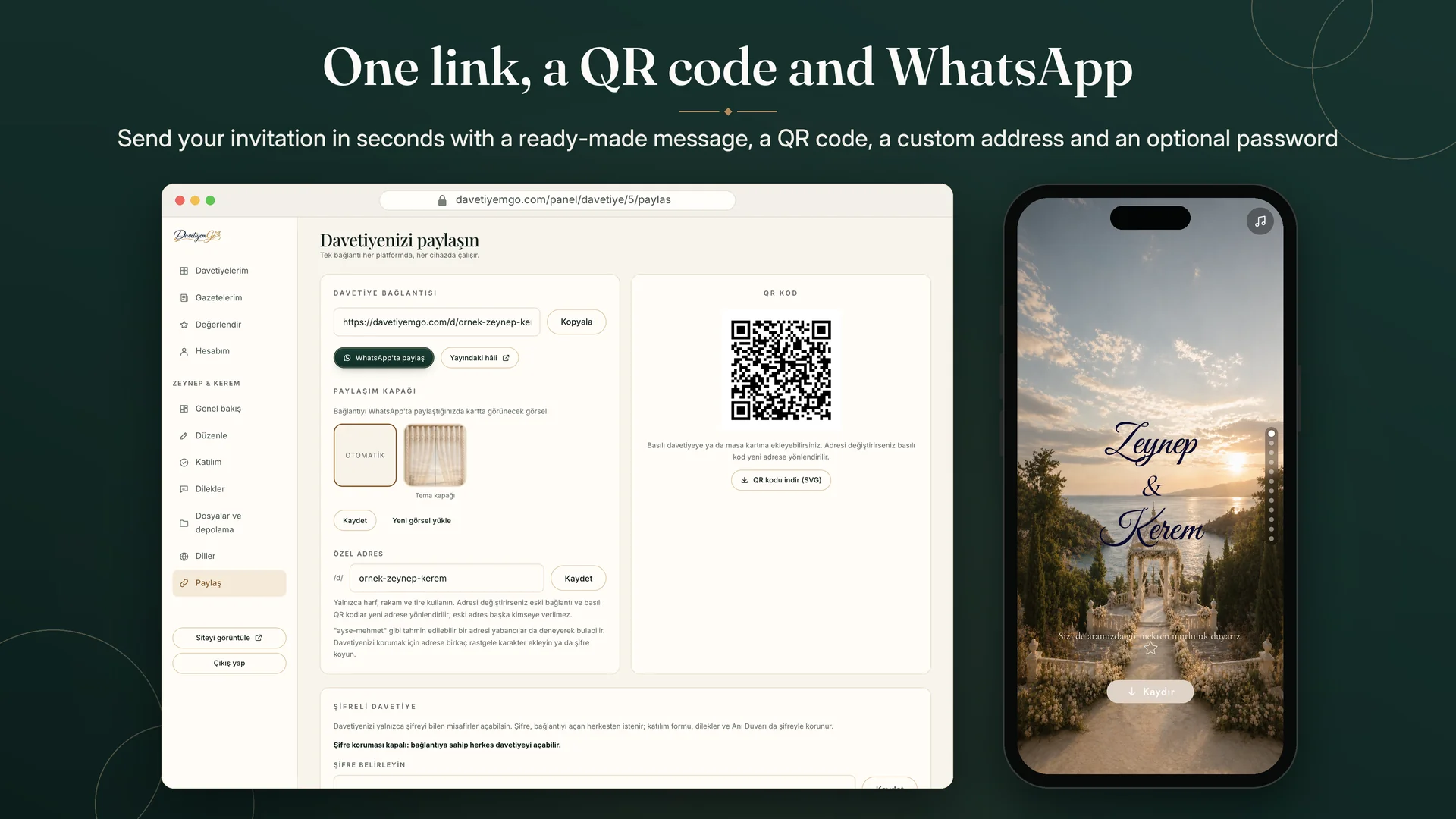
Your own address, a QR code, a ready-made WhatsApp message, a share cover and an optional password.
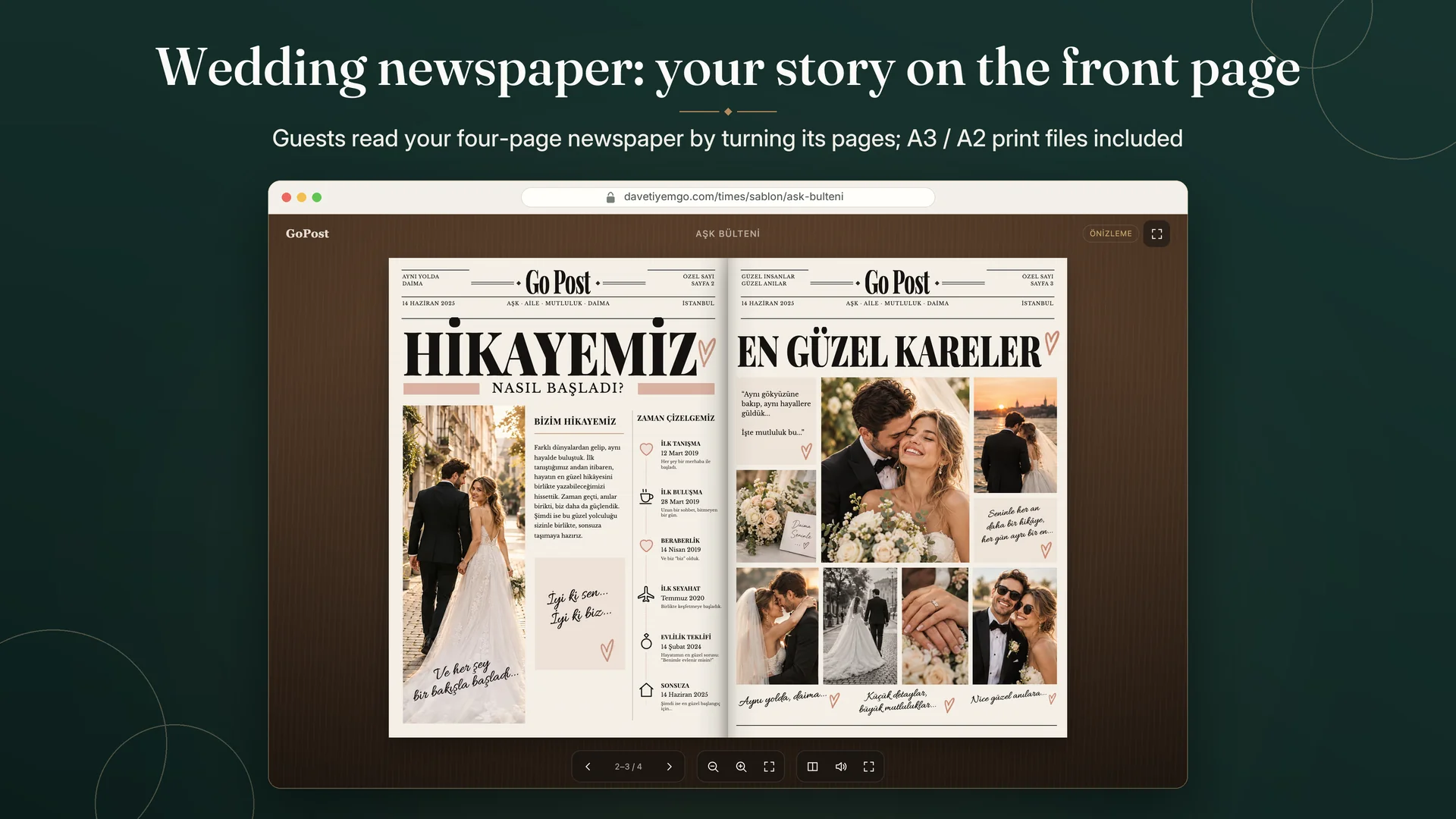
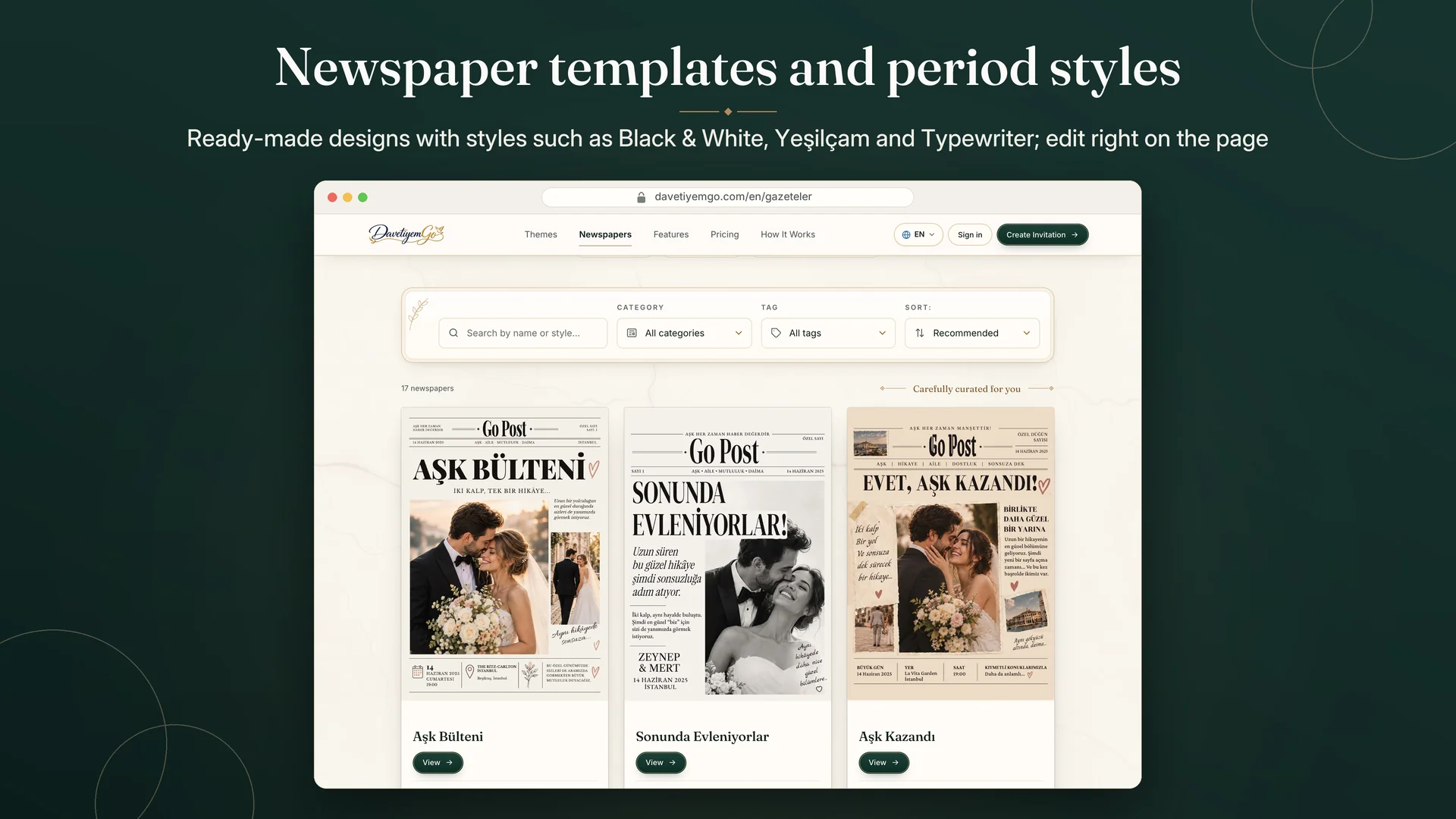
Build a newspaper with a front cover, two inside pages and a back cover by typing on the pages and placing your photos.
Styles such as Black & White, Yeşilçam and Typewriter; crop your photos and get a warning when resolution is too low for print.
Guests read the newspaper by turning its pages, full screen and zoomed in; share it publicly, by link only or with a password.
PDFs for a home printer or a print shop (bleed, crop and fold marks); download single pages as PDF, PNG, JPG or a ZIP.
DavetiyemGo brings two products together: a digital invitation with music and motion that opens on your guests' phones, and a four-page wedding newspaper that puts your story on the front page. Both are shared with a single link; no app or account is needed and they open in any browser.
Guests are welcomed by a cover page or an opening video when they tap the link. Families, event details, a countdown, venue and directions, the day's programme, the menu, a gift account (IBAN), wishes and the RSVP form follow in one scrolling flow, all included in the template's price. Background music can be the template's own track or, where the template allows, a library track or your own. With the Memory Wall add-on guests upload photos on the event day, and with the Extra Language add-on the same invitation is published in several languages.
Pick your event (engagement and wedding, or henna night), choose a template and the invitation's languages, then fill in names, date and venue. Everything you type appears instantly on the phone preview beside you; the review step shows anything that is missing, and you can try the invitation full screen before paying. You can start without an account; one is only needed at checkout.
See RSVPs as they arrive, search, filter and approve them, and export an Excel-friendly CSV; a daily e-mail summary of new replies is optional. Approve or hide wishes, manage Memory Wall photos and download them all as a ZIP. Edit your content after publishing and publish again — your link stays the same. The share screen gives you the link, a QR code, a ready-made WhatsApp message, a custom address, a share cover and an optional password.
Choose a newspaper template and a period style such as Black & White, Yeşilçam or Typewriter. Tap any text on the front cover, the two inside pages or the back cover to change it right on the page, and pan and zoom your photos in their frames; the editor warns you when a photo's resolution is too low for print. Guests read the newspaper by turning its pages, and you share it publicly, by link only or with a password. Print files in A3 (folds to A4) or A2 (folds to A3) are ready for a home printer or a print shop, with bleed, crop and fold marks in the print-shop file.
There is no subscription: you pay the template's price once and add extras only if you need them. Invitations are hidden from search engines, location data is removed from uploaded photos and only you can manage your files. Your invitation stays online for at least 6 months after the event date and can be extended with Extra Time.
FAQ
No. The invitation and the newspaper open in any browser; your guests need no app and no account.
Invitation templates for engagements, weddings and henna nights and wedding newspaper templates are available today. You can browse them all at davetiyemgo.com/en/temalar and davetiyemgo.com/en/gazeteler.
You pay the price of the template you choose once; there is no subscription. Add-ons such as Memory Wall, extra languages or extra storage are optional. Current prices are on davetiyemgo.com/en/fiyatlar.
At least 6 months after the event date, and it can be extended in 90-day steps with Extra Time. When it ends the invitation closes to guests; your content and files are not deleted and stay in your panel.
Yes. Update texts, date, venue and sections, then publish again; your link stays the same.
Replies are listed in your panel as guests send them; search, filter, approve and export them as an Excel-friendly CSV. You can also get a daily e-mail summary of new replies.
Choose a newspaper template and a style and start with your account. Tap the texts on the pages to change them and place your photos; after the final check and payment, publish the newspaper and share it by link or QR code.
Yes. Download an A3 (folds to A4) or A2 (folds to A3) PDF for a home printer or a print shop; the print-shop file has bleed, crop and fold marks. Single pages can be downloaded too.
With the Memory Wall add-on guests upload their photos to the invitation on the event day. Approve or hide them in your panel and download them all as a ZIP.
Ready when you are
Start from your browser in minutes. Questions? Get in touch.