
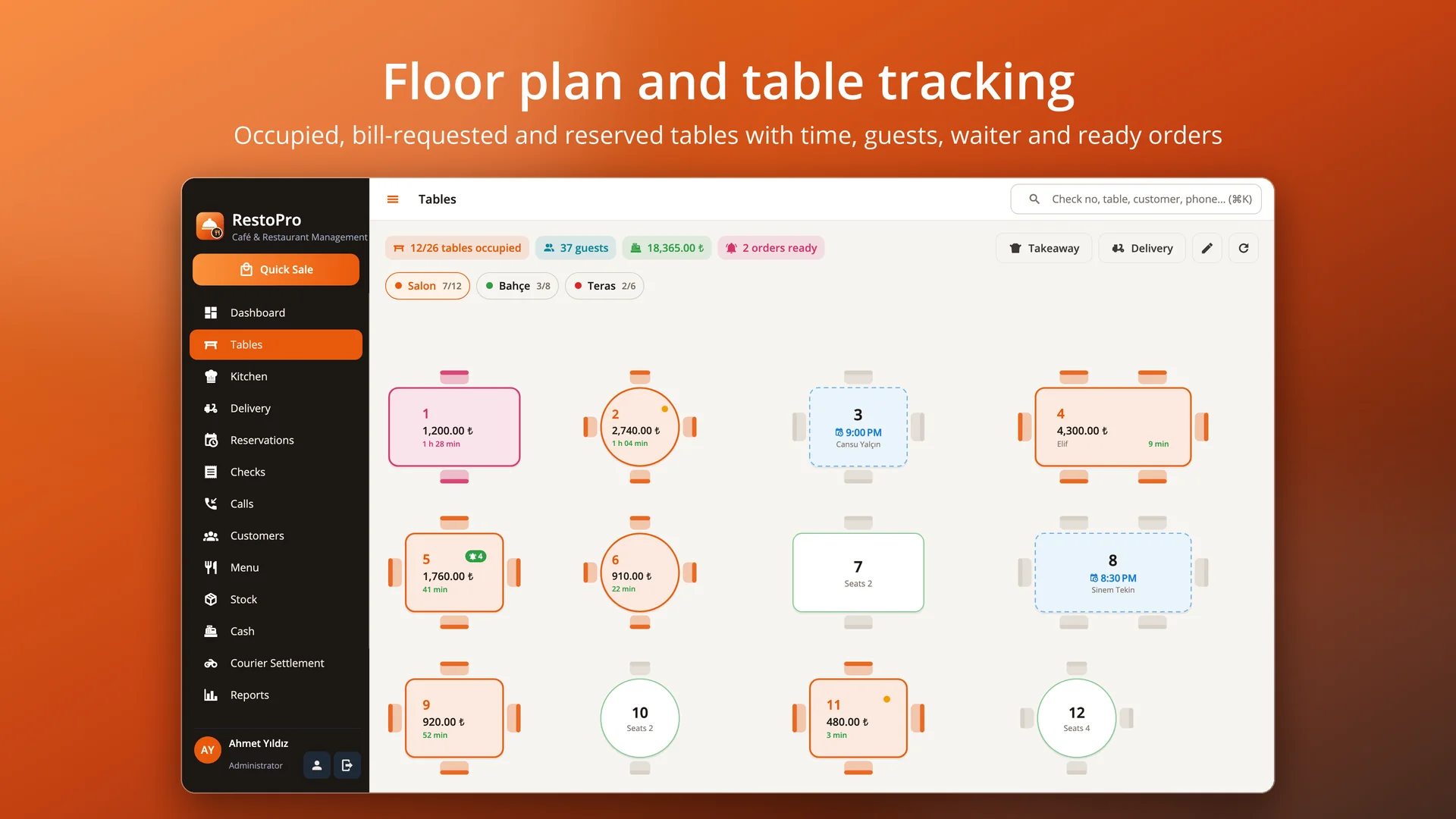
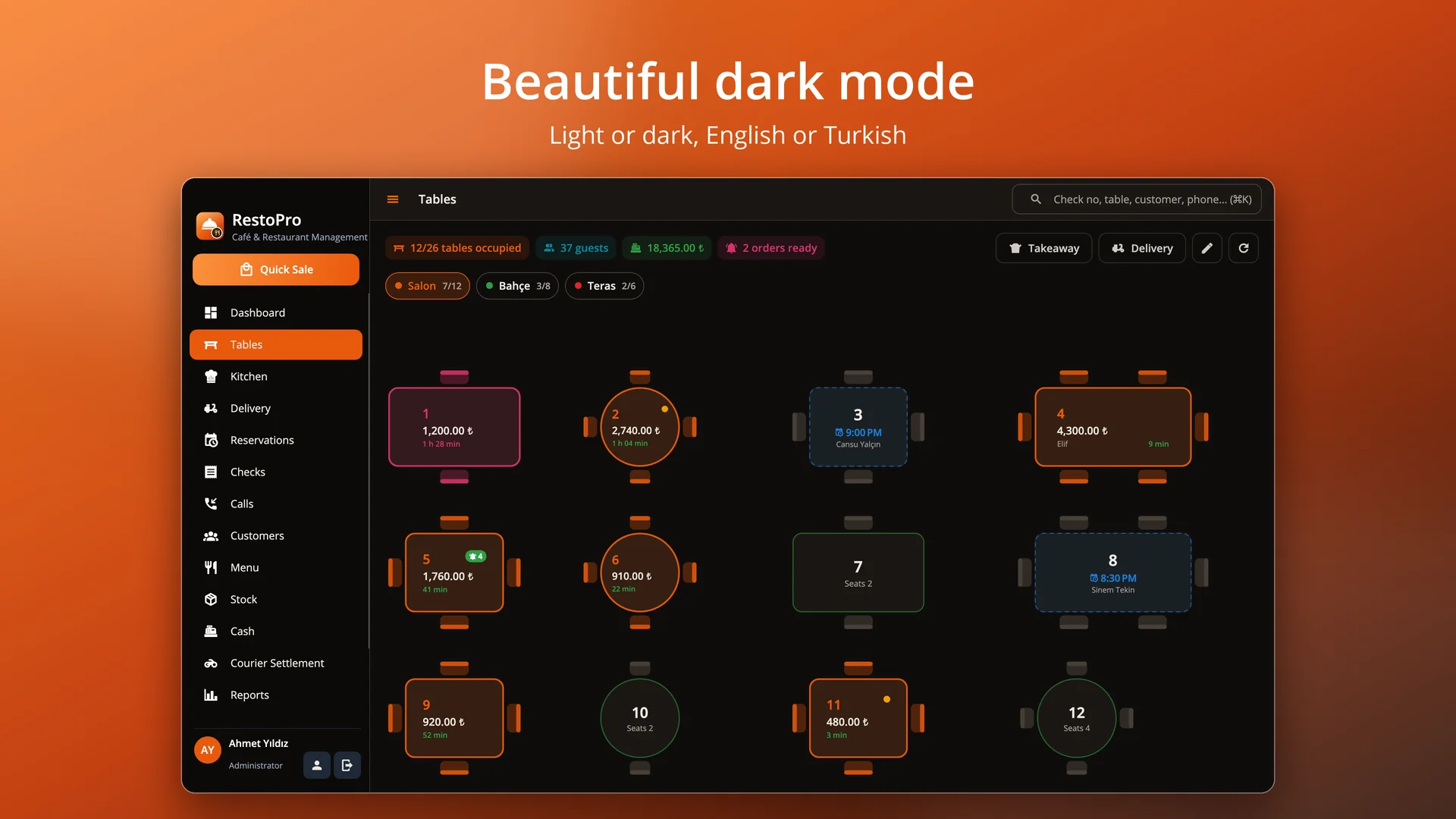
Floor plan
Drag-and-drop areas and tables drawn with their shape and chairs; occupied, bill-requested and reserved tables color coded.
 RestoPro
Floor plan and table checks, touch ordering, a kitchen display with station printers, delivery and courier tracking, caller ID, reservations, recipe-based stock, meal cards and Z reports for cafés and restaurants. Runs on macOS, Windows and Linux; your data stays on your own computer.
Free trial · No sign-up or credit card · Your data stays when you activate
Features
Drag-and-drop areas and tables drawn with their shape and chairs; occupied, bill-requested and reserved tables color coded.
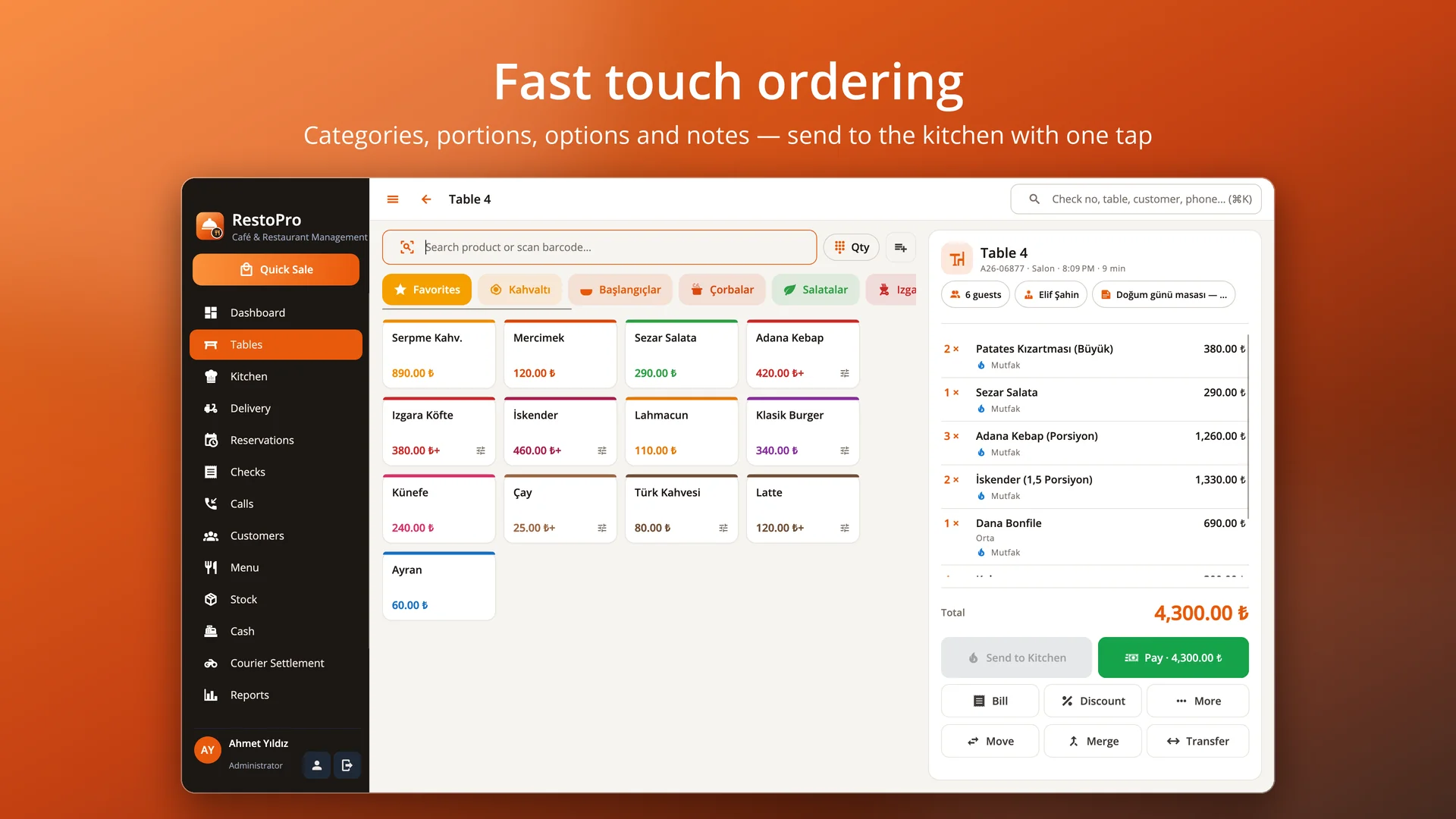
Categories, product tiles, portions and option groups, quick notes, quantity multiplier and barcode scanning.
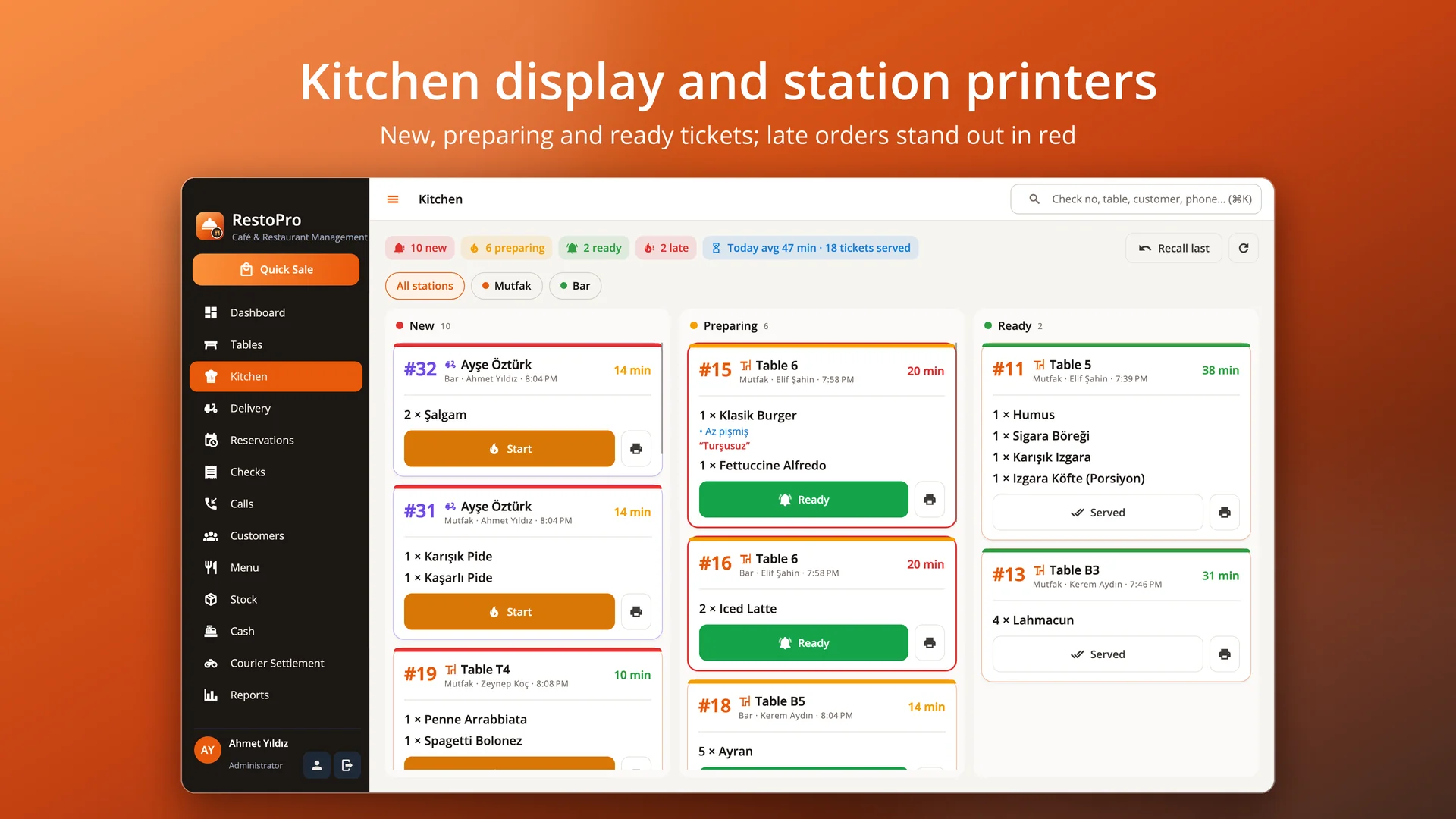
New, preparing and ready tickets; station filter, late-order alerts and a network printer per station.
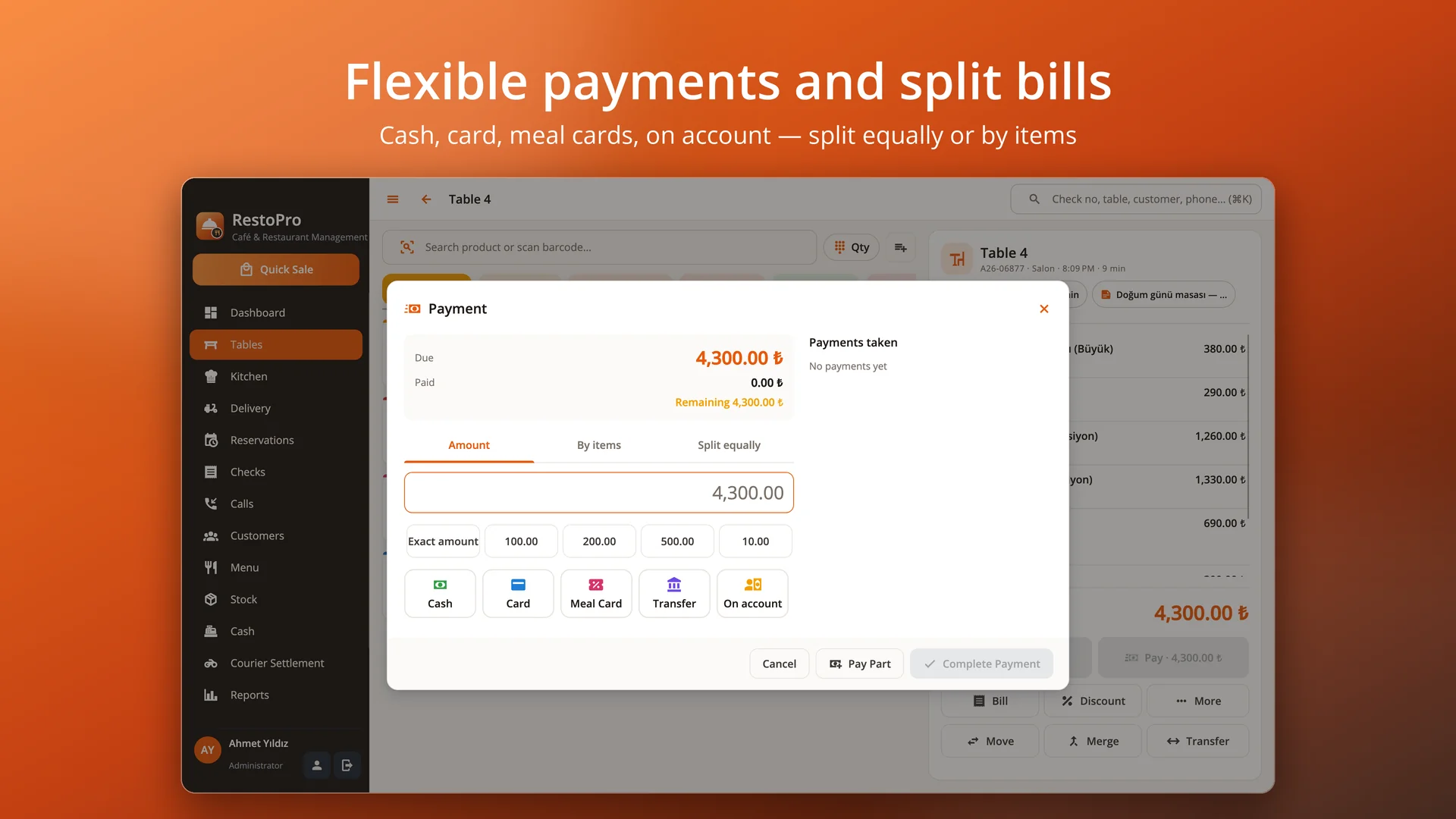
Cash, card, meal cards, transfer and on account; split equally or by items, multiple payments.
Move and merge tables, transfer items; comps and voids with reasons (optionally recorded as waste).
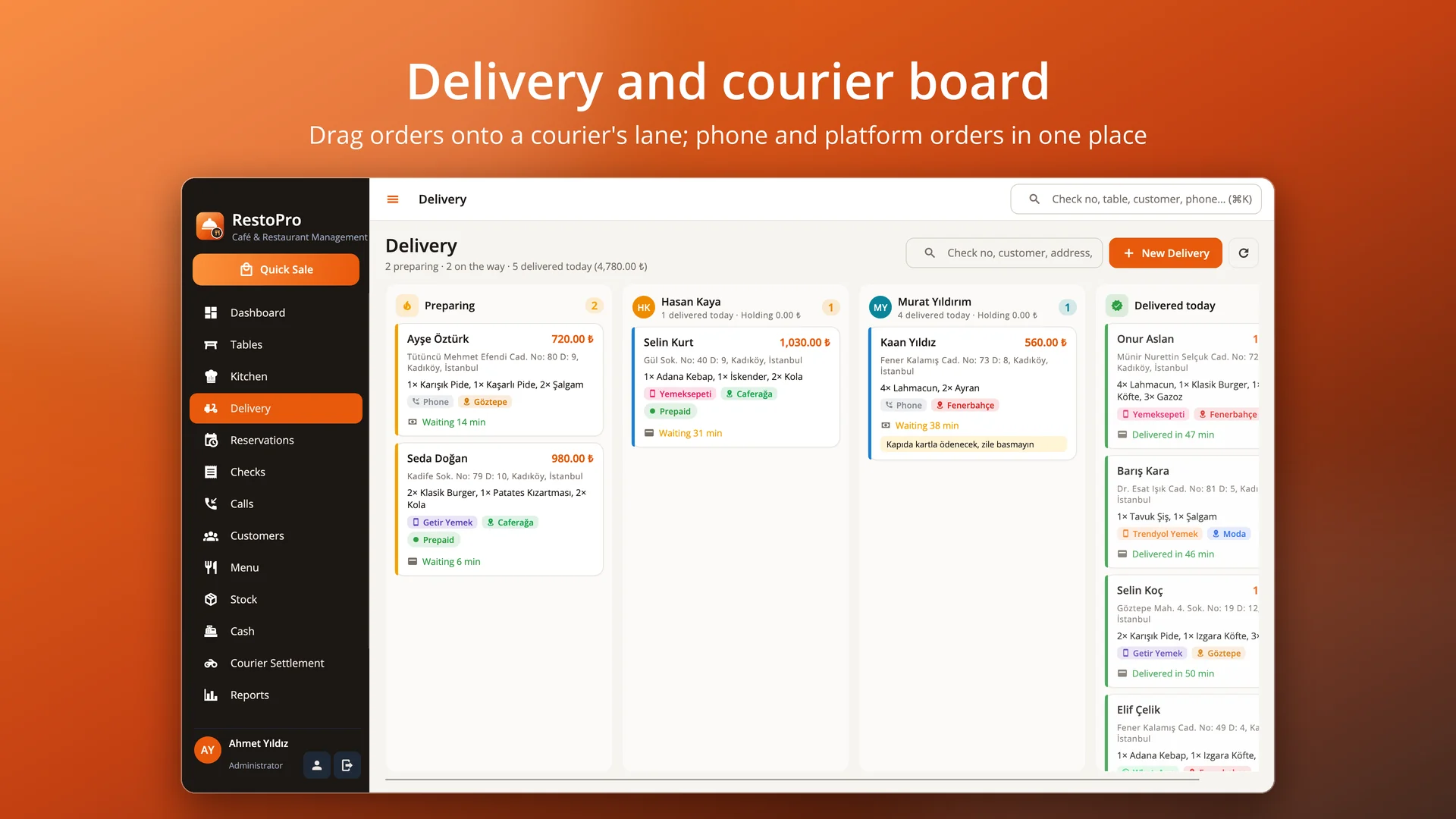
Phone, WhatsApp and delivery platform orders; drag-and-drop courier board, delivery slips and end-of-shift settlement.
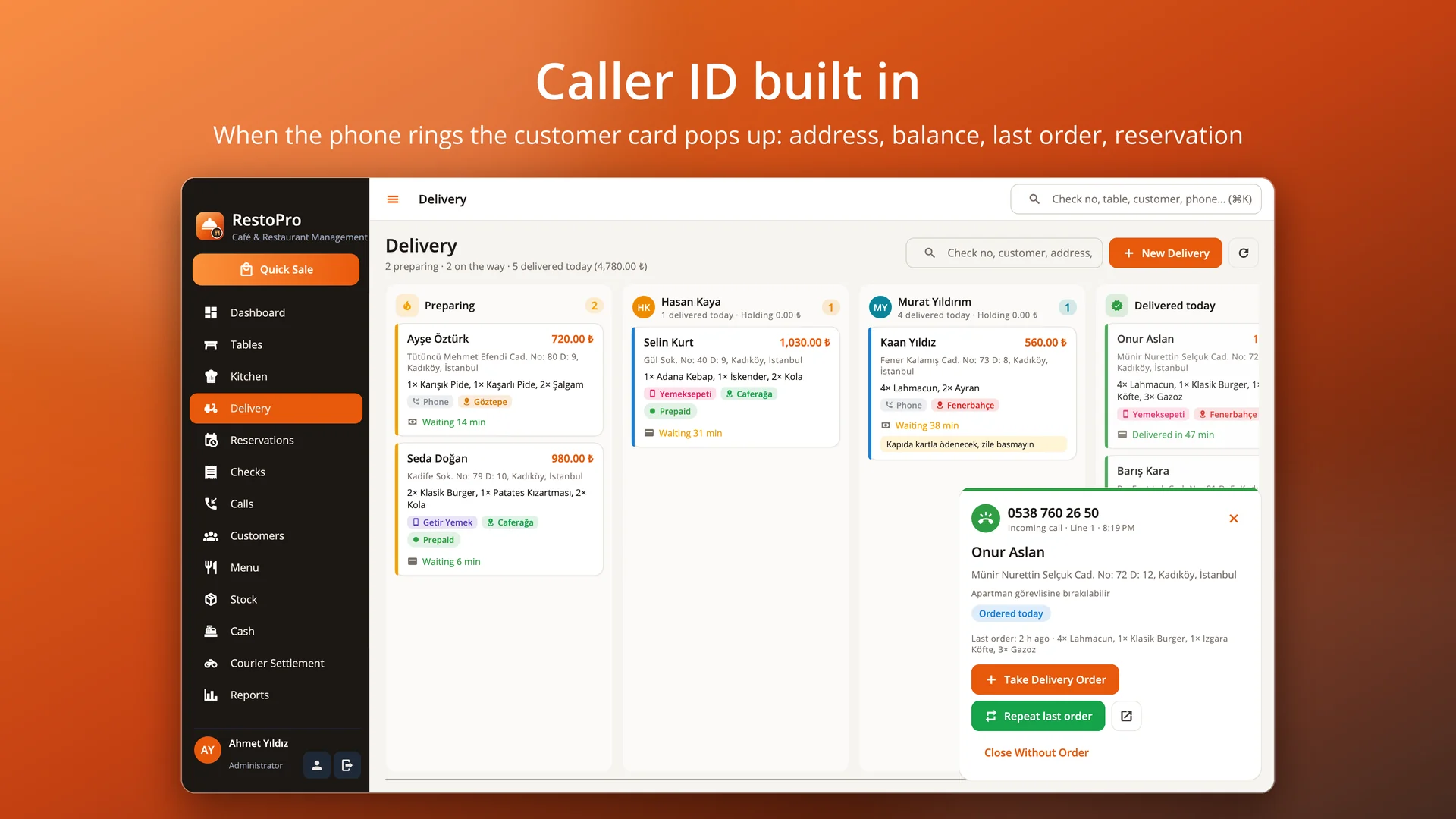
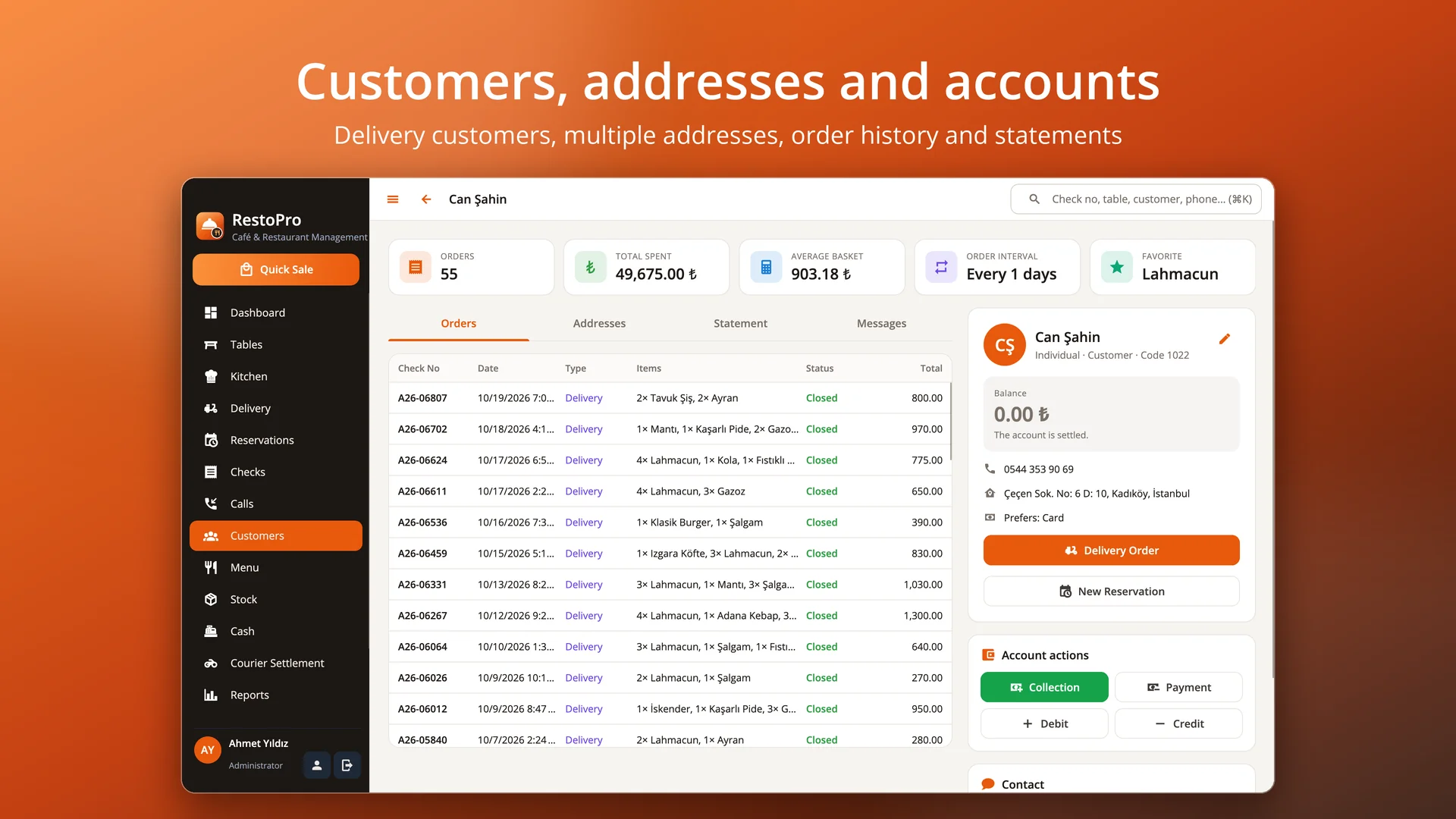
The customer card pops up when the phone rings: address, balance, last order, reservation; repeat the last order in one click.
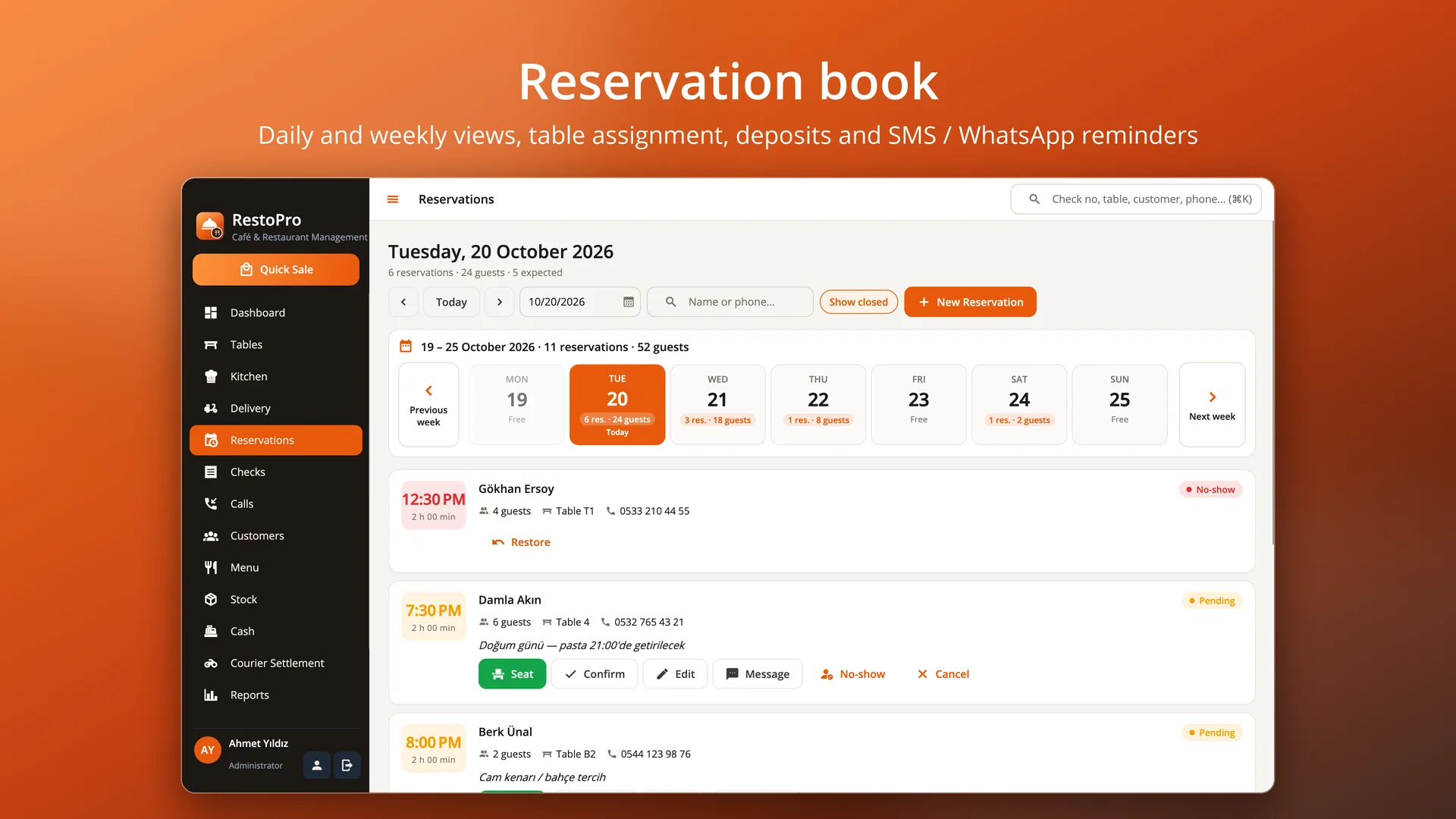
Daily and weekly views, table assignment, deposits, confirmations, no-shows and SMS / WhatsApp reminders.
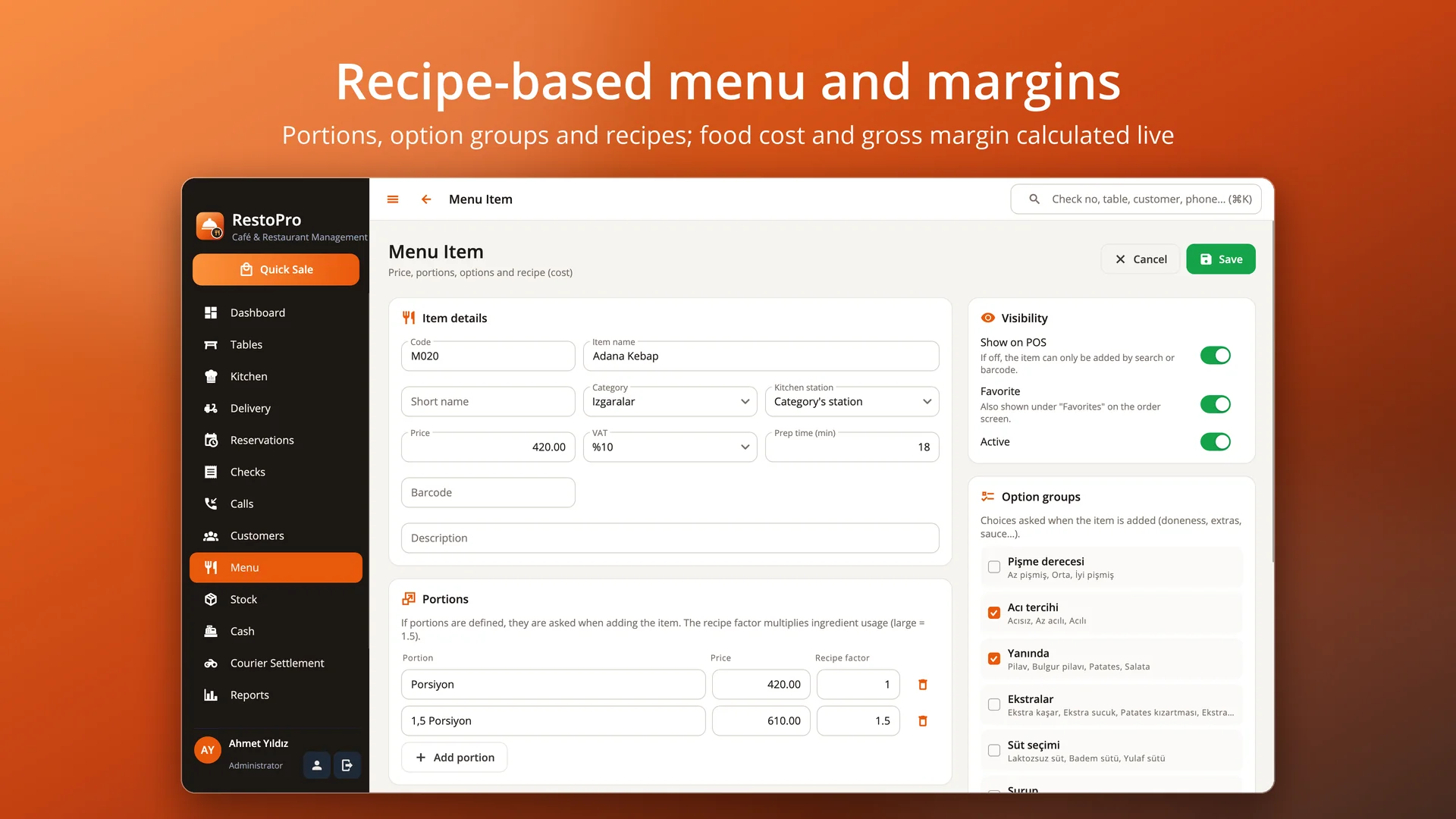
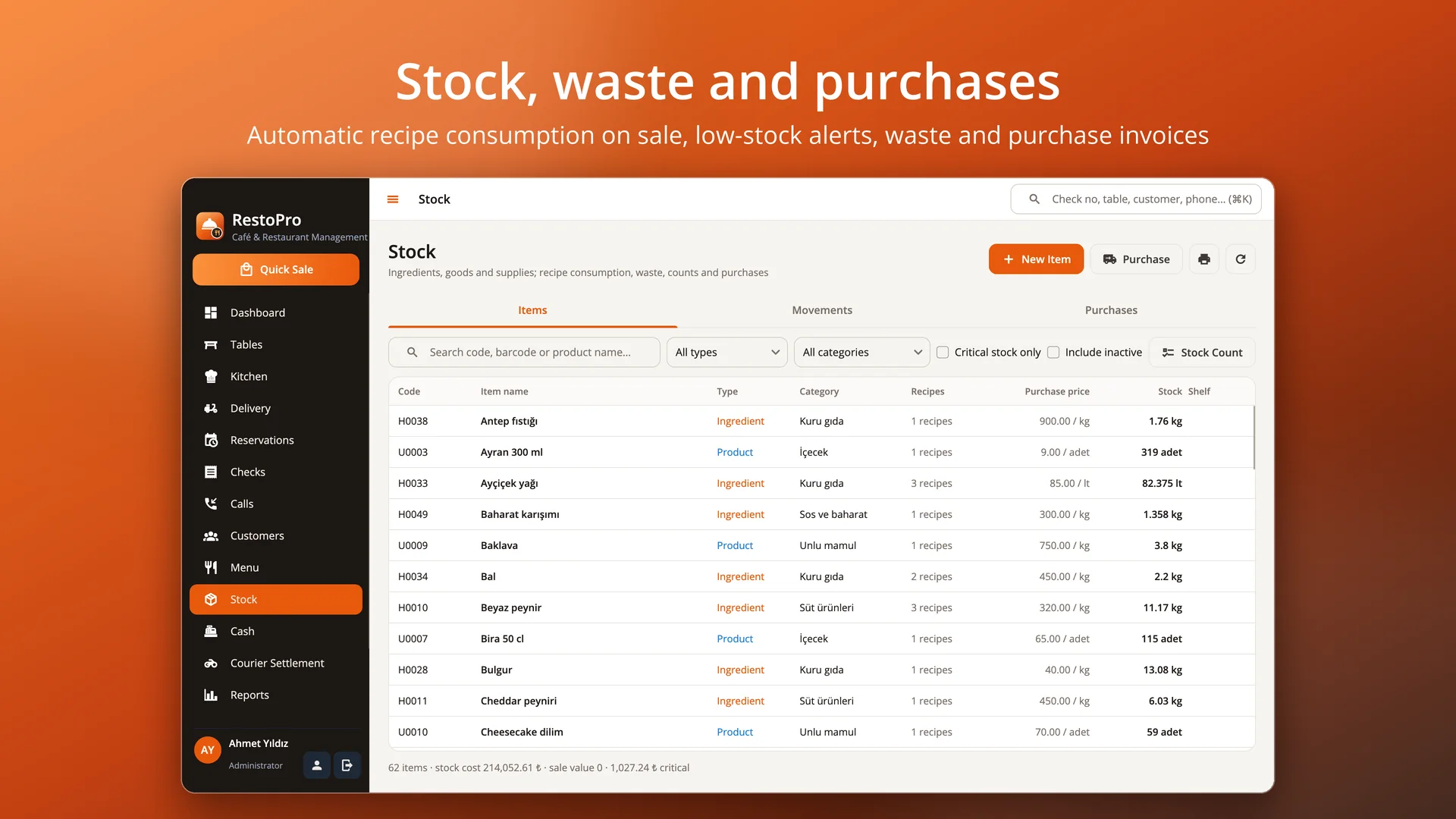
Live food cost and margin, automatic stock deduction on sale, waste, counts, purchase invoices and bulk price updates.
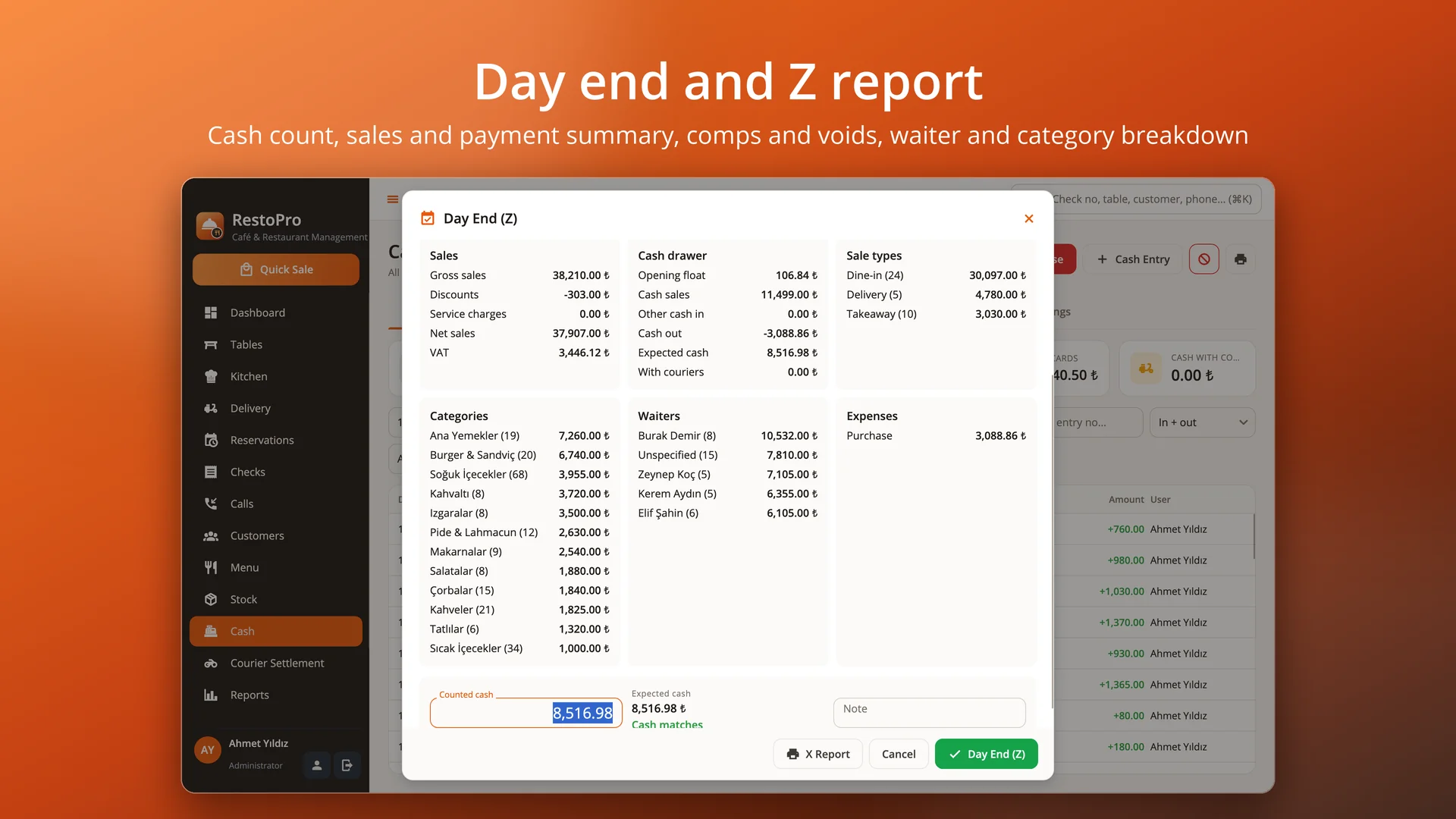
Expenses and cash movements; day-end Z report, cash count and difference, reprint past Z reports.
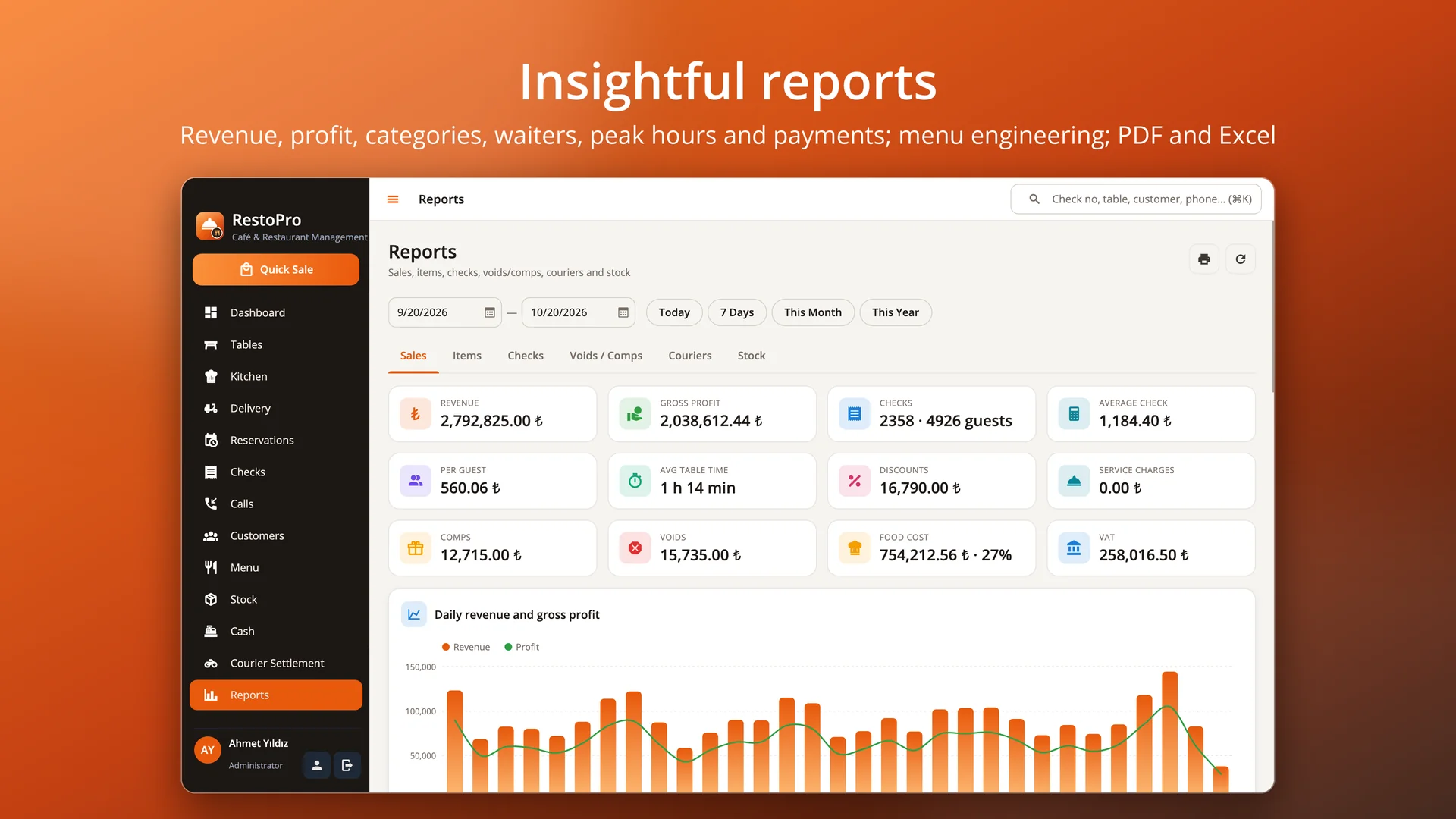
Revenue, profit, average check, waiter, category, hour and channel breakdowns; menu engineering; PDF and Excel.
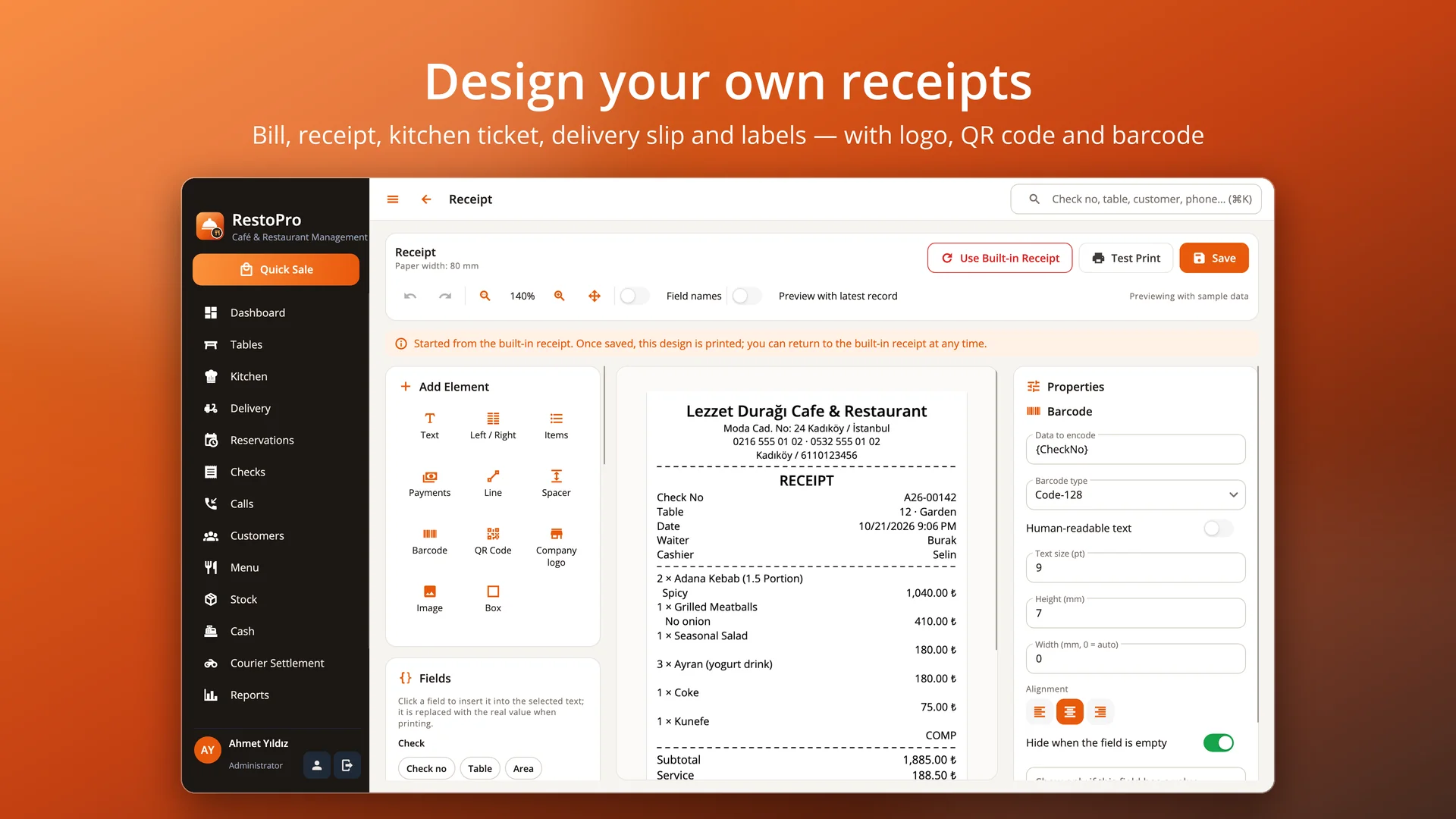
Quick PIN login, permission presets, audit log; receipt design studio and encrypted automatic backups.
Drag your areas (hall, garden, terrace) and tables into place on the plan; tables are drawn with their real shapes and chairs. Occupied, bill-requested and reserved tables are color coded; each shows the amount, waiter, time open and orders ready in the kitchen. Tap a table to open its check.
Enter orders in seconds with categories and colorful product tiles. Portions (large, double), option groups (doneness, extras, sauce) and quick notes (not spicy, no onion, sauce on the side) in one dialog. Move and merge tables, transfer items; comps and voids with reasons; discounts and service charge.
“Send to Kitchen” routes items to stations such as kitchen, bar or pizza oven; each station's ticket prints on its own network printer. The kitchen display shows new, preparing and ready tickets in columns — tap to advance, and late orders stand out in red.
Take cash (with change), card, meal cards (Multinet, Pluxee, Edenred, Setcard, Metropol, Tokenflex), bank transfer or charge to a customer account. Split equally or by items; bills and receipts print on thermal printers or as PDF.
When the phone rings the customer card pops up: address, balance, last order and reservation. Phone, WhatsApp and delivery platform orders on one board; drag an order onto a courier's lane and the customer gets an SMS. Settle each courier at the end of the shift on one screen.
Daily and weekly reservation book with table assignment, deposits and SMS reminders. Add a recipe to every item: food cost and margin are calculated live and ingredients are deducted on every sale. At the end of the day, a Z report: sales, payment types, comps and voids, waiter and category breakdown, cash count and difference.
RestoPro needs no cloud subscription: data is kept on your own computer and backed up automatically, optionally encrypted. Waiters and cashiers sign in with a quick PIN, and everyone works within their own permissions (waiter, cashier, kitchen, courier and manager presets).
Pricing
Try it free first. To buy, pick a package and contact us — we will send your licence key right away.
Start now, stop any time.
400 ₺ / month
Excl. VAT
Licence key delivered by email
A full year of uninterrupted use.
Save 27% 3 months free
4,800 ₺
3,490 ₺
/ year
Excl. VAT · just 291 ₺ per month
Licence key delivered by email
Pay once, use it for good.
Lifetime use for the price of 23 months
8,990 ₺ one-time
Excl. VAT
Licence key delivered by email
Purchases are not made on the website. Just send us the device code shown in Help › Licence in the app.
Download
The trial runs with every feature and no time limit (40 checks a day, 12 tables, 60 menu items, 50 customers, 50 stock items and 5 messages a day). Use "Try with sample data" on first launch to explore with a ready menu, tables and 40 days of history; your data is kept when you activate a licence.
Version 1.0.0 · 21 October 2026 · 50 MB
macOS 12 veya üzeri · Apple Silicon ve Intel
Download (RestoPro-1.0.0-macOS.dmg)e02b4e43bc4aa890d92e486f91f1c1cf534bf90f7c00a643af677aaf12f1a773
Signed by Microsoft; installs without security warnings and updates automatically.
Get it from Microsoft StoreVersion 1.0.0 · 21 October 2026
Ubuntu 22.04+ · Debian 12+ · Fedora 39+ · x64 ve ARM64
1c580dd0def2253eb17f26a2bd54cb308da957baf959890e1bfa1d67bb8a61a0e031a98422ab1730af7e33e554f163ea74689edc0f3253d14948c3ebaf1c49db1bd41cdd899911d05b168d3b1a6319c1f9b5b8a965f83a3b159eaa0d0bb1a39e1a2aff8300fdc28eee057f6f0e59db206be75262c23a2be33e105973da51b1d1e60e838468831142e2c851604c3d8622cc654df54a415e9645c90667c117a15b56b3436fcd37b015df3a71ebd2e34df11782ea201ea7da9532a8bdf72f06d4b4cb8288fcb04d38acdb24b54c2e17568b5d117a53b0a7ea60107cb2bf3799282b8857b8bc1f5a3fae7377049876f8e62a9b8c011019e426e00c18d5797eacf1faFAQ
There is no time limit. The trial has every feature, limited to 40 checks a day, 12 tables, 60 menu items, 50 customers, 50 stock items and 5 messages a day. Your data stays as it is when you activate a licence.
The "Buy Licence" button in Settings › License sends us your device code. Paste the licence key we send you into the same screen and press Activate.
Yes. Tables, product tiles and the payment screen are designed for touch, and you can enlarge the display scale in Settings › Appearance. It works just as well with keyboard and mouse.
Define stations such as kitchen and bar and assign a network ESC/POS printer to each. "Send to Kitchen" sends each station's items to its own printer; you can also keep the kitchen display open on a screen in the kitchen.
Yes. Multinet, Pluxee, Edenred, Setcard, Metropol and Tokenflex are selectable on the payment screen and broken down by brand in the till, Z report and reports.
No. The app and your data run on your computer; the internet is only used for SMS / e-mail, WhatsApp and map links, and update checks.
Yes. Besides a user name and password, each team member can get a 4–6 digit PIN; waiters tap their name on the login screen, sign in with the PIN and can only do what they are allowed to.
Restore your backup on the new computer; the licence is bound to the device, so contact us with the new device code to transfer it.
Free consultation
In a short call we listen to your needs and work out the scope and a realistic timeline together. It is free and there is no commitment.