
Caller ID
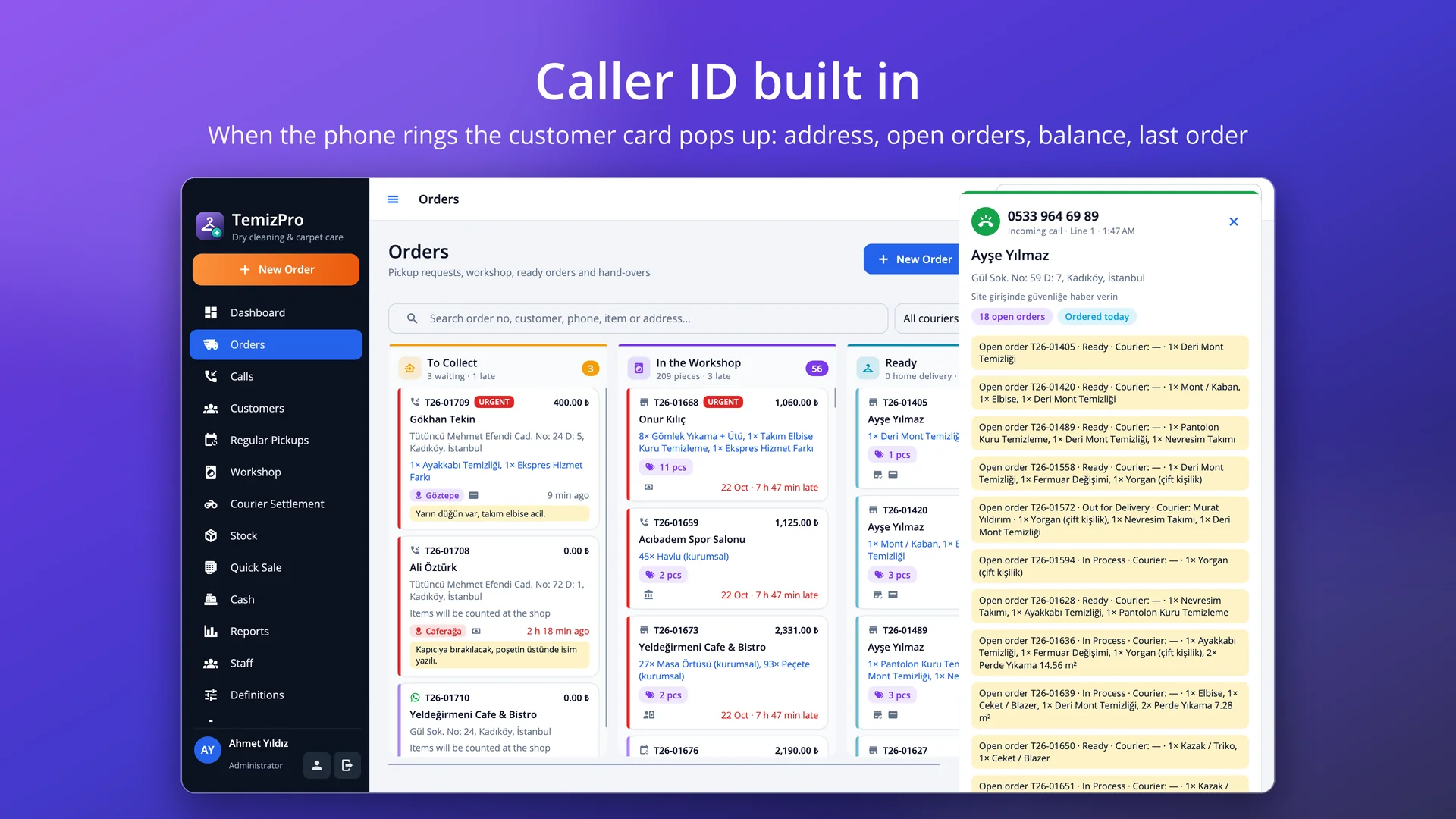
The customer card pops up when the phone rings: address, open orders, balance and last order; pickup request in one click.
 TemizPro
Pickup requests with caller ID, courier pickup and delivery, barcode piece tags, item-by-item ready tracking in the workshop, per-m² carpet pricing, regular business pickups, payments and reports for dry cleaners, carpet cleaners and laundries. Runs on macOS, Windows and Linux; your data stays on your own computer.
Free trial · No sign-up or credit card · Your data stays when you activate
Features
The customer card pops up when the phone rings: address, open orders, balance and last order; pickup request in one click.
Save without items and count them at the shop; the courier goes out right away or at the scheduled time.
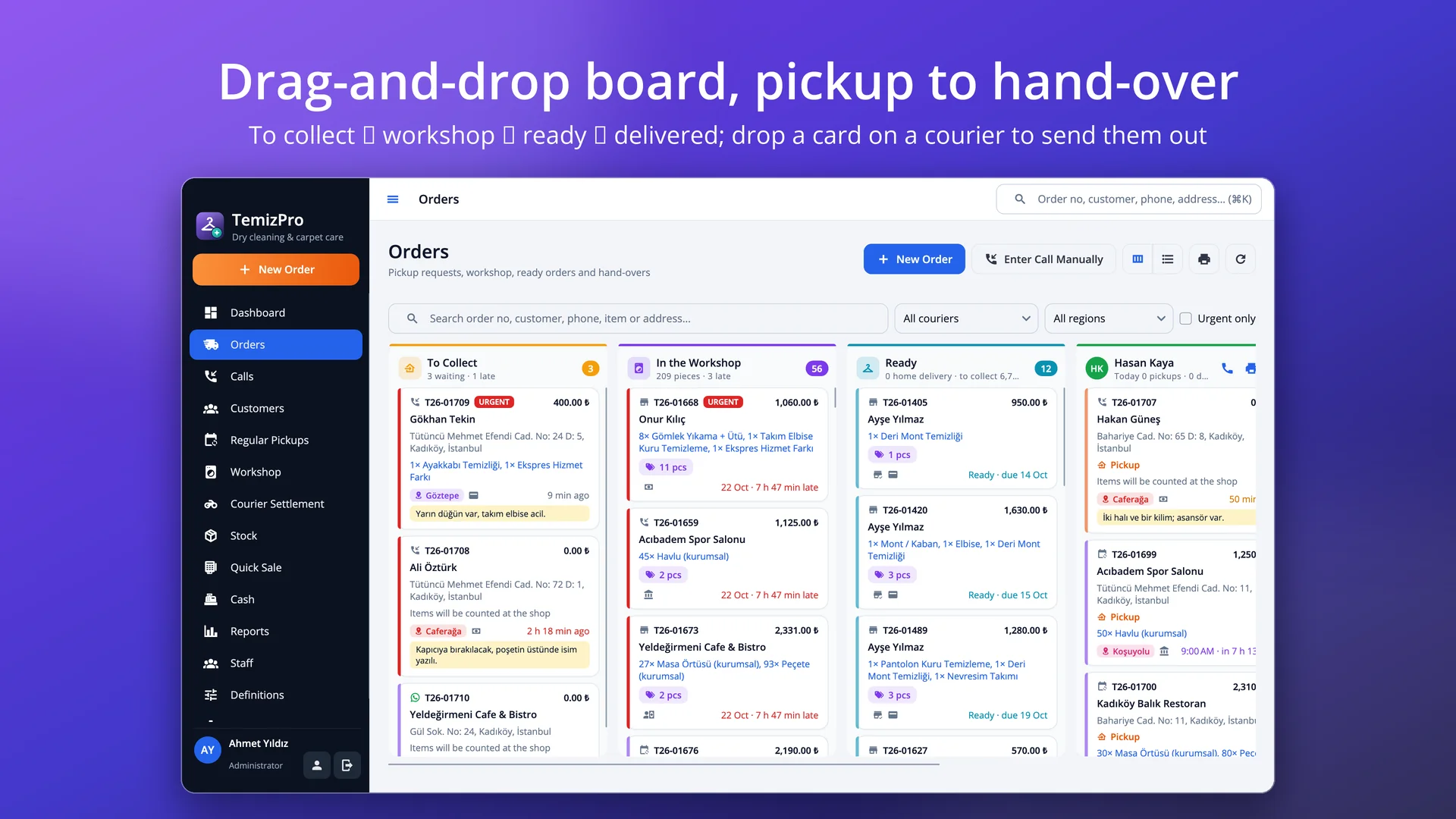
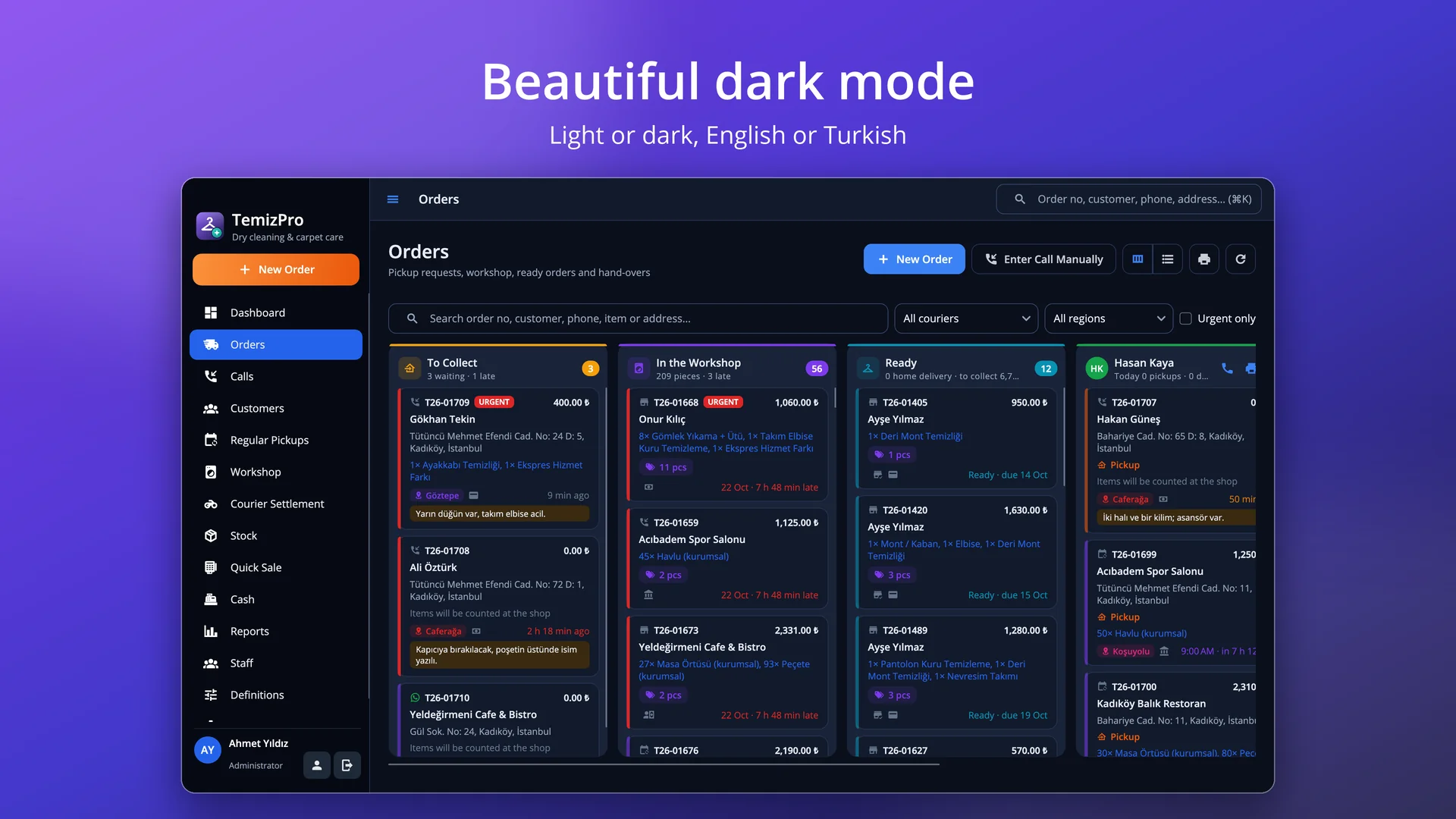
To collect, in the workshop, ready, courier runs and today's hand-overs; drag and drop, late jobs in red.
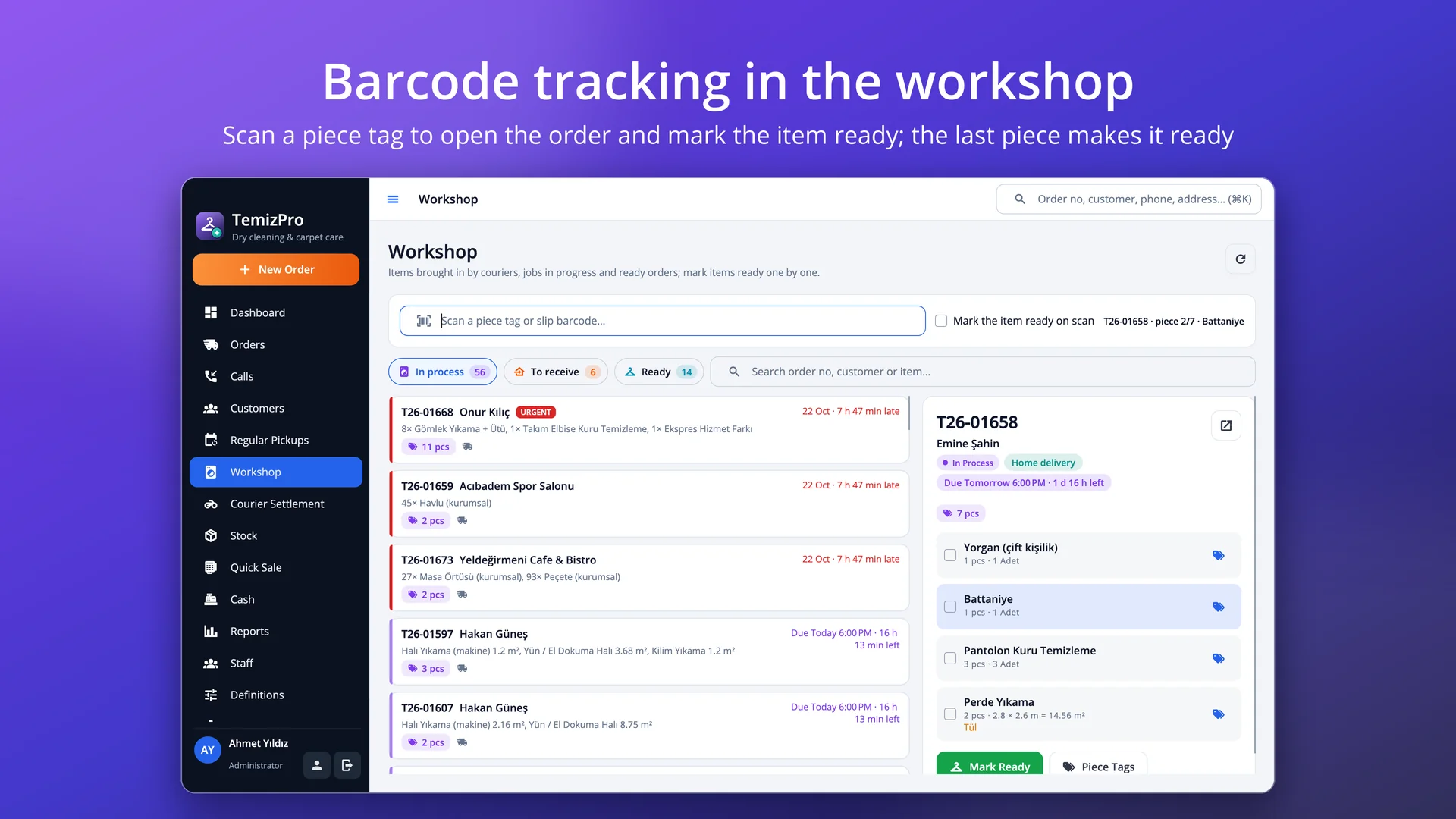
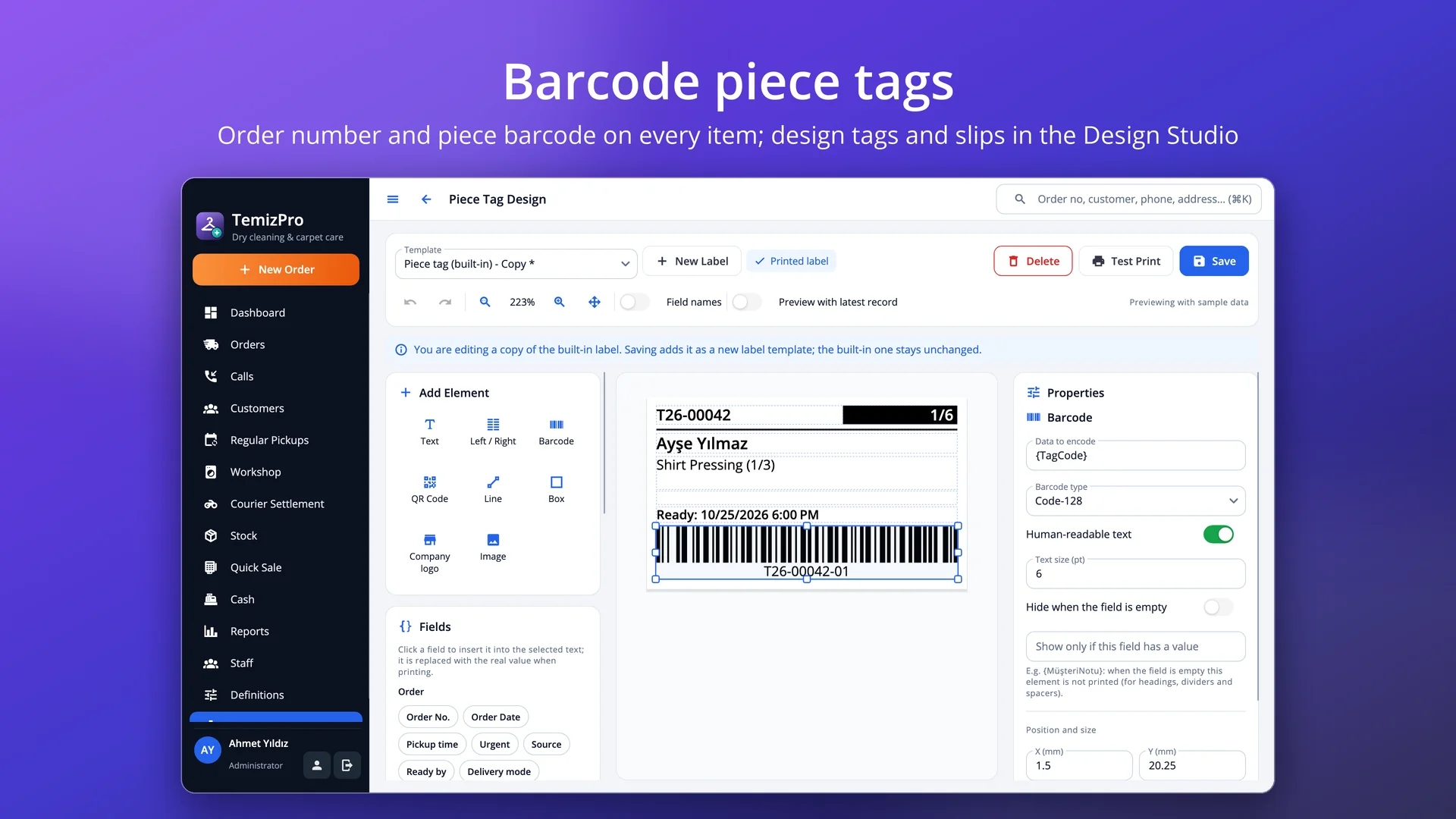
A tag with the order number and piece barcode for every piece on receipt; reprint a single line's tags.
Scan a tag to mark the item ready; the last piece makes the order ready and the customer is messaged.
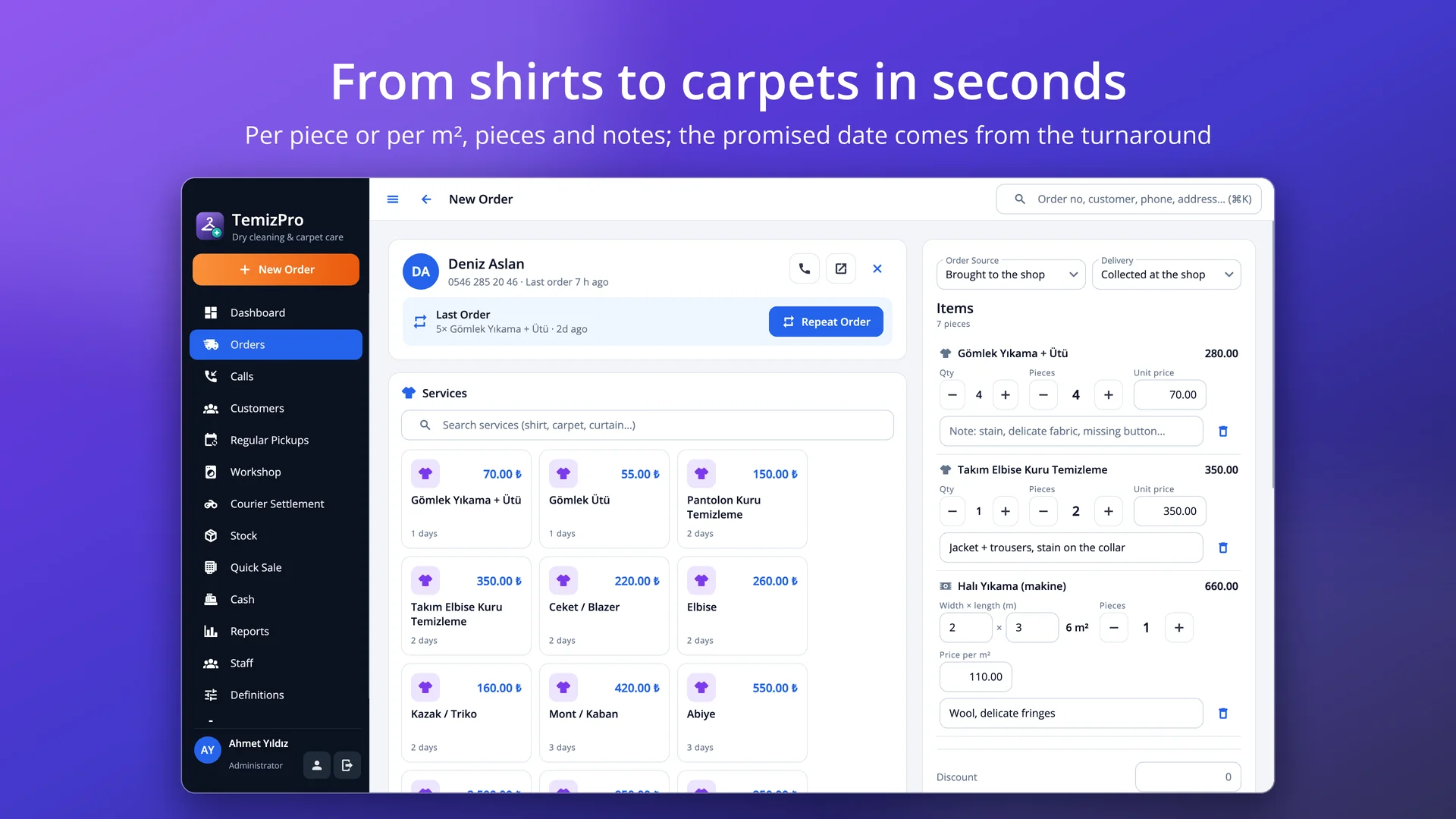
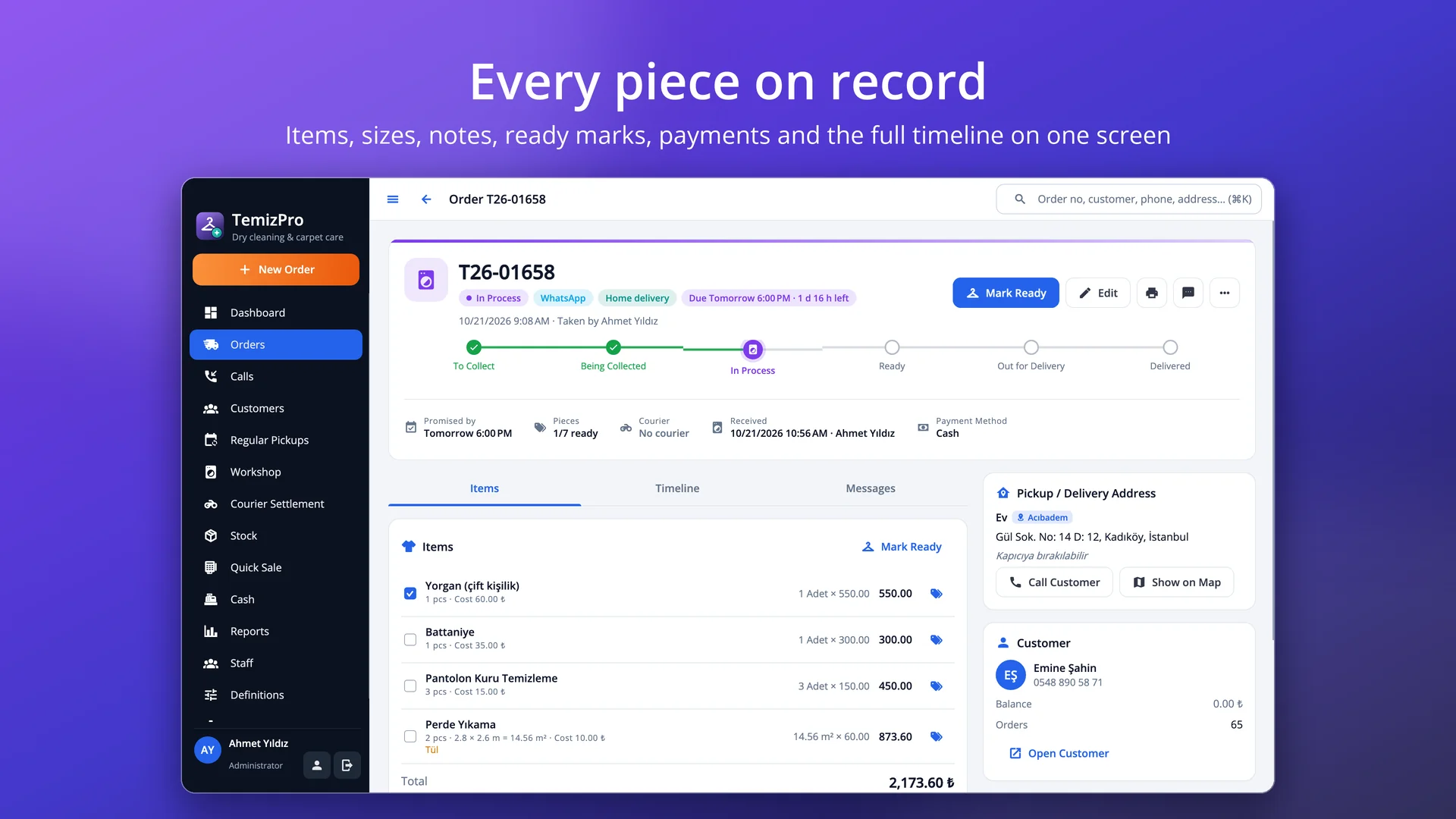
Width × length for carpets, rugs and curtains; pieces and a note on every line (stain, delicate fabric, missing button).
Suggested from the turnaround; halved for express jobs, Sundays skipped; late jobs are flagged.
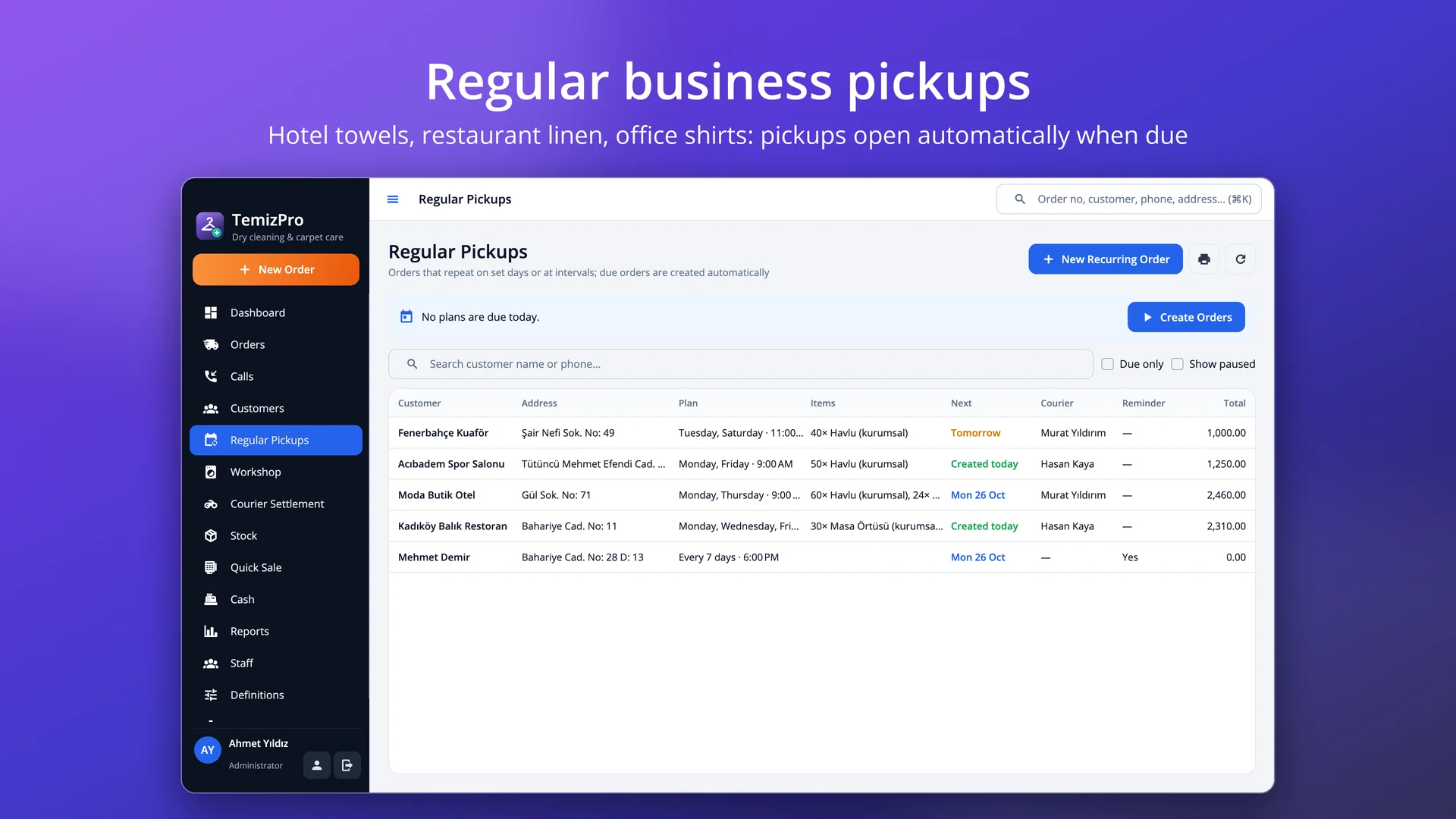
Hotels, restaurants, salons: chosen weekdays or every N days; due pickups open automatically.
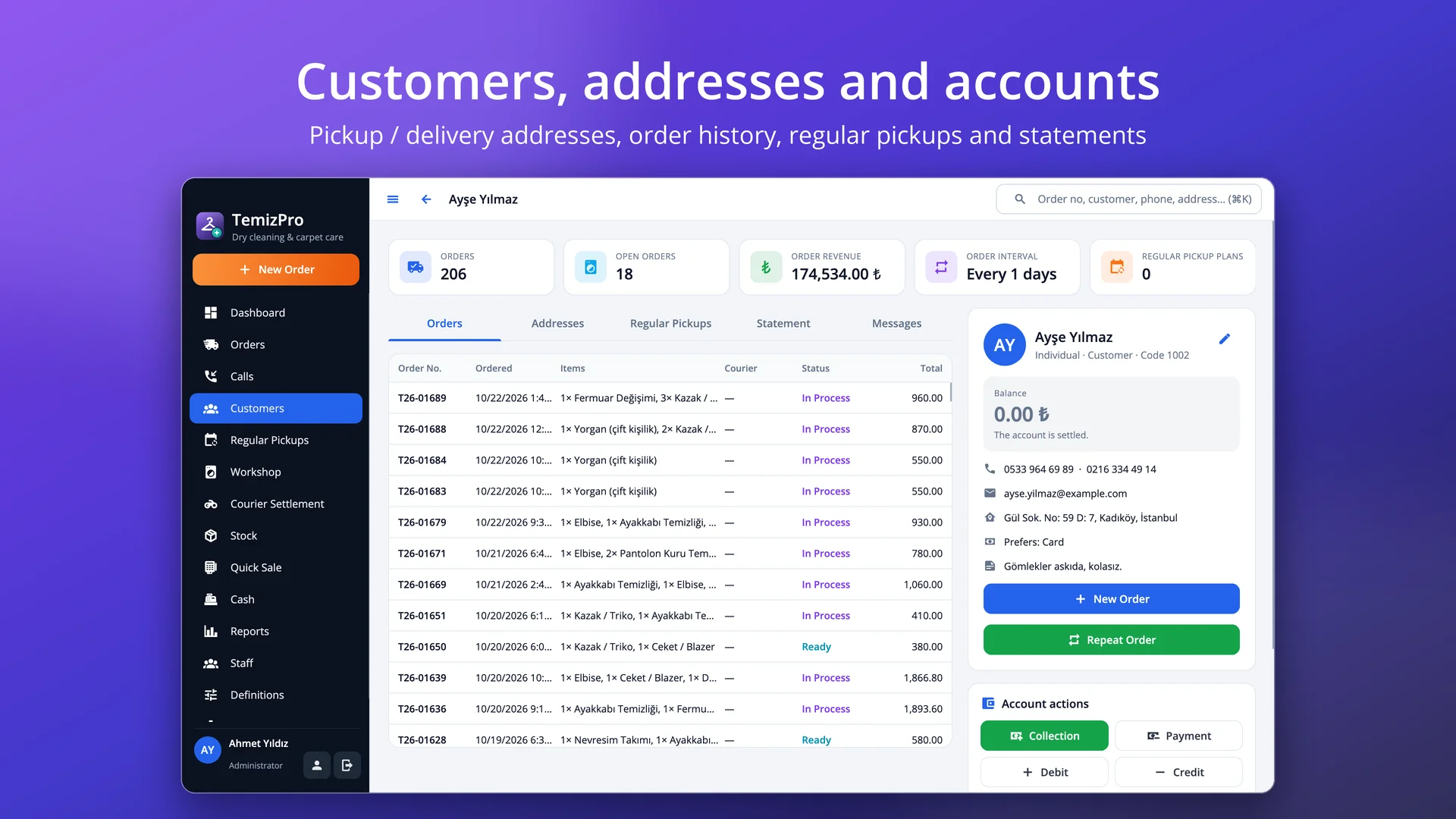
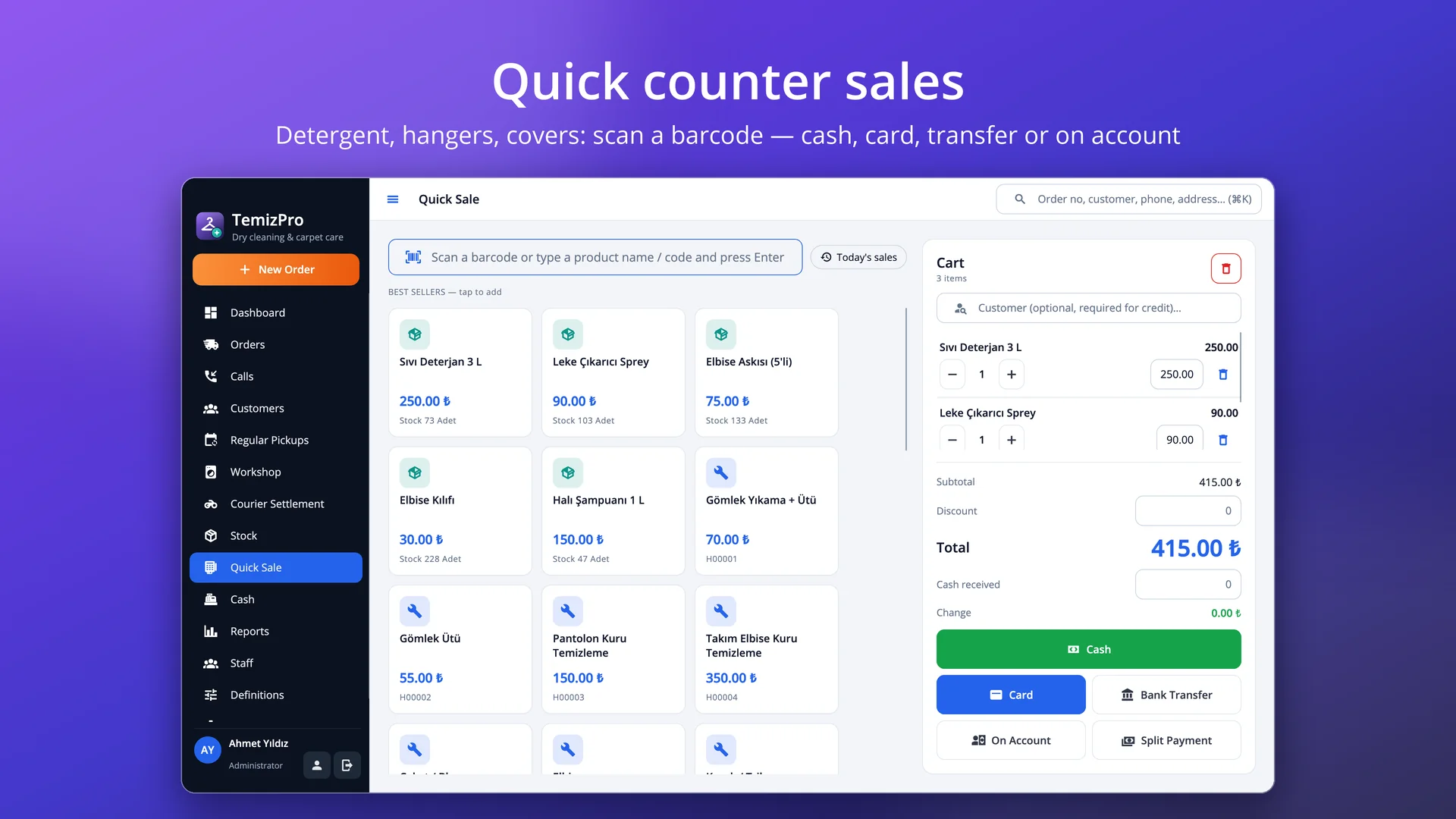
Collected at the shop or delivered home; cash, card, transfer, account or split payment, prepayments.
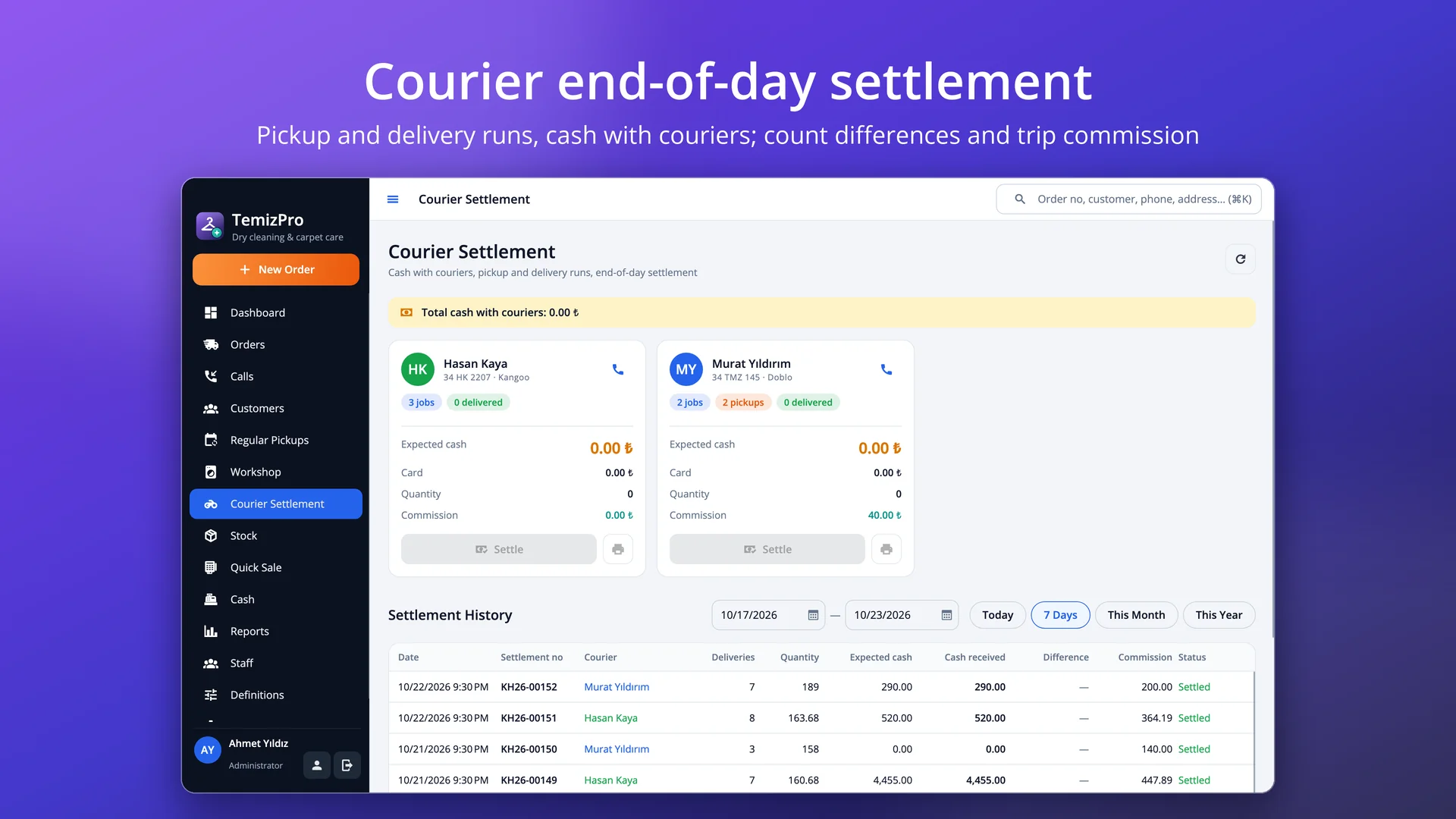
Pickup and delivery runs, cash in hand, per-trip / per-piece / percentage commission; differences to the till.
58 / 80 mm order receipt and piece tags; design them yourself with a logo, barcode and fields in the Design Studio.
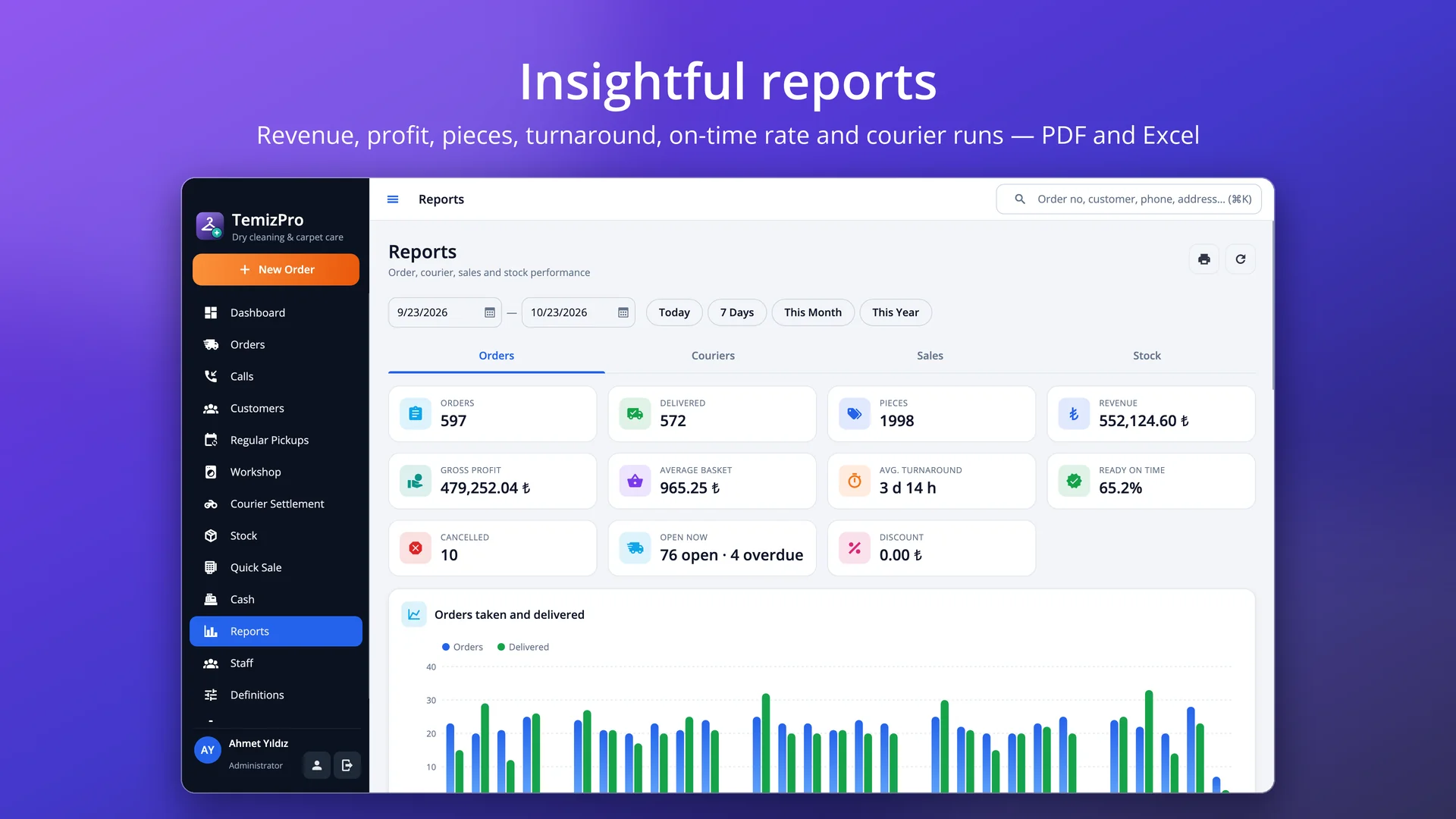
Revenue, profit, pieces, turnaround, ready-on-time rate, courier runs; permission presets and encrypted backups.
With a Caller ID box or PBX notification, the customer card pops up as soon as the phone rings: name, address, open orders (including ready ones), balance and last order. A pickup request opens in one click and can be saved without items; they are counted at the shop. Send a courier right away, or schedule the pickup for the time the customer asked for.
To collect, in the workshop, ready, each courier's pickup and delivery runs and today's hand-overs on one board. Drop a card on a courier's lane to send them out; drop it on the workshop to receive it; drop it on ready and the customer gets an “order ready” message. Jobs past their promised time stand out in red, and ready orders not collected from the shop are tracked separately.
When items are received, every piece gets a tag with the order number and a piece barcode (e.g. T26-00042-03). Scan the tag on the Workshop screen: the order opens and the item is marked ready; when the last piece is ready the order becomes ready on its own. See what was promised when and how many pieces are in the shop at any time.
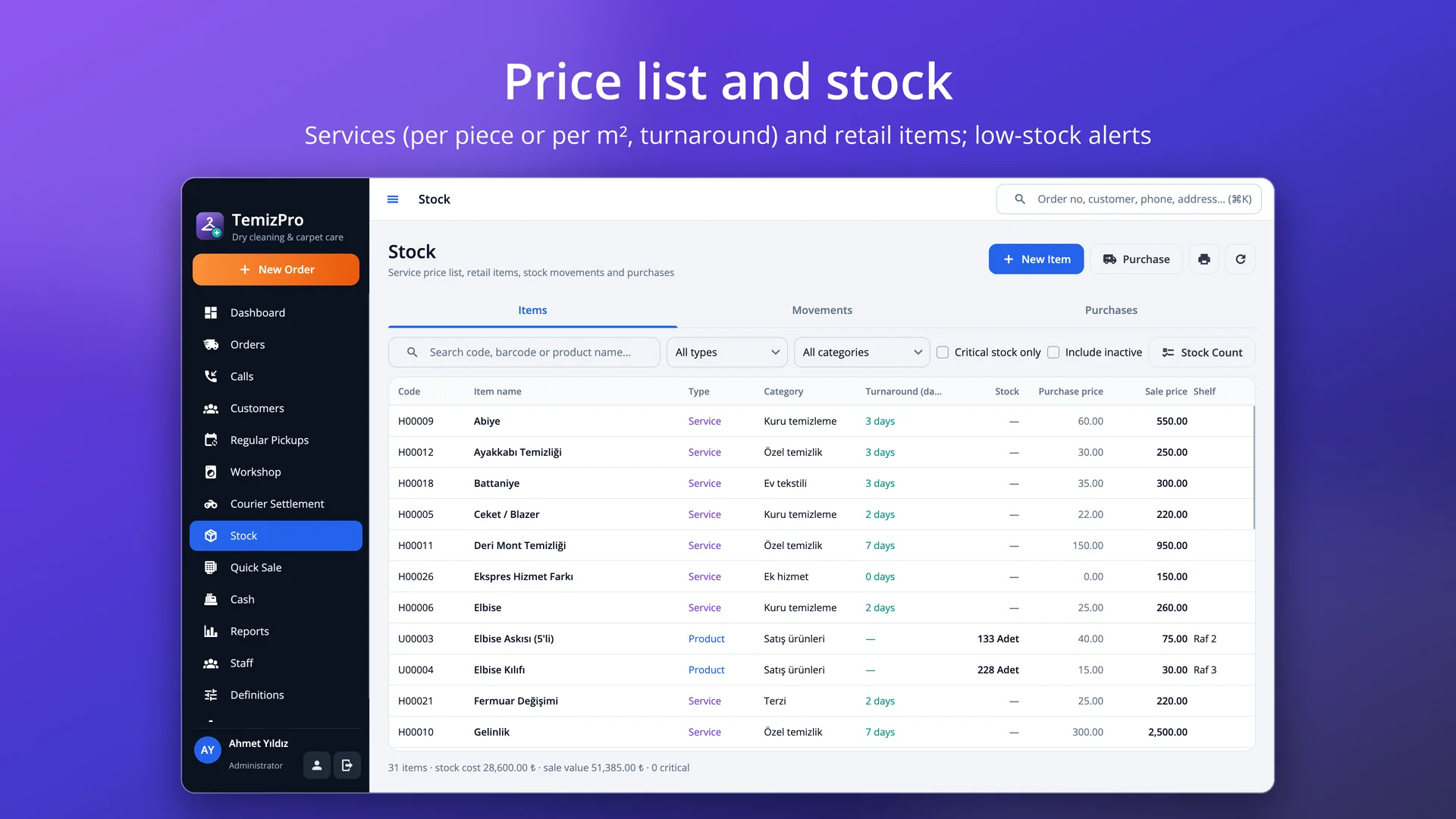
Your price list holds services priced per piece (shirts, suits, evening dresses, duvets) and per m² (carpets, rugs, curtains). Enter width × length for a carpet and the price follows the area; add pieces and a note to every line (“stain on the collar”, “delicate fringes”). The promised date is suggested from each service's turnaround; express jobs take half the time and Sundays are skipped.
Hotel towels, restaurant linen, office shirts: set up pickup plans on chosen weekdays or every N days; due pickups open in the morning with an SMS reminder the day before. Cash with change, card, transfer or account on hand-over; prepayment when receiving items. Each courier's pickup and delivery runs, cash in hand and trip commission on one screen; count differences go to the till.
58 / 80 mm thermal order receipts and piece tags — design both yourself in the Design Studio. Stock and purchase invoices for retail items, quick barcode sales, the till and the end of day. Revenue, profit, pieces, average turnaround, ready-on-time rate and courier runs, exported to PDF and Excel.
TemizPro needs no cloud subscription: data is kept on your own computer and backed up automatically, optionally encrypted. Everyone works with their own account and permissions (courier, workshop, counter and manager presets), and every action is logged.
Pricing
Try it free first. To buy, pick a package and contact us — we will send your licence key right away.
Start now, stop any time.
400 ₺ / month
Excl. VAT
Licence key delivered by email
A full year of uninterrupted use.
Save 27% 3 months free
4,800 ₺
3,490 ₺
/ year
Excl. VAT · just 291 ₺ per month
Licence key delivered by email
Pay once, use it for good.
Lifetime use for the price of 23 months
8,990 ₺ one-time
Excl. VAT
Licence key delivered by email
Purchases are not made on the website. Just send us the device code shown in Help › Licence in the app.
Download
The trial runs with every feature and no time limit (15 orders a day, 50 customers, 50 stock items, 10 sales and 5 messages a day). Use "Try with sample data" on first launch to explore with pickup requests, workshop jobs, carpets and regular business pickups; your data is kept when you activate a licence.
Version 1.0.0 · 23 October 2026 · 50 MB
macOS 12 veya üzeri · Apple Silicon ve Intel
Download (TemizPro-1.0.0-macOS.dmg)cd318299bc8e2e701ffe9abed2cfe76beccae5eca993fdf63fd2e848a02fe262
Version 1.0.0 · 23 October 2026
Ubuntu 22.04+ · Debian 12+ · Fedora 39+ · x64 ve ARM64
2ec814543ccc574fb7e855404e72ad2ddbaa10b5d8302050d6e7b235c1c04c7e019a8e48743e2eea6c86d22857735da37d28cefbfc576cb998d7c2c5f82a70752051a6894d657b5a7611bd88516e2eaa6a0b56b33fb31543633a6c31bd6bd143c707a53c84afefc92d9b7b348cacddb8cef9deb863c9a4fd6cdd28514f03c06c203b26fea3990245c7cf94f75227d2cff00b388dba63378c67f7957ad37071eabdde0f4eb39545dc1f2efc3503b2926795bddbb4154df501811537df2a05e9e8682ca0a39023154342d1b15d1f4105cef4f5c21cb38821e03b047512200148ee6a18b4742f73f0dae56a0eeb0ca4561c45aac78466f4f826800c3b33cb51e166Windows: The installer is coming soon. Write to us to be notified.
FAQ
There is no time limit. The trial has every feature, limited to 15 orders a day, 50 customers, 50 stock items, 10 sales and 5 messages a day. Your data stays as it is when you activate a licence.
The "Buy Licence" button in Settings › License sends us your device code. Paste the licence key we send you into the same screen and press Activate.
Any label printer (e.g. 60×40 or 40×30 mm) will do; tags print as PDF. Pick the label size in Settings › Printer and change the design in the Design Studio. Any barcode scanner reads the tags.
Mark the service as "priced per m²". On the order enter width and length (metres); the price is area × pieces × price per m², and the size prints on the slip and the tag.
Yes. A pickup request from the phone is saved without items; when the courier brings them in, "Receive Items" counts the lines, confirms the promised date and prints the tags.
Pickup request saved, courier on the way, items received, order ready, out for delivery and delivered; each can be switched on or off and its template edited. They only go to customers who opted in.
No. The app and your data run on your computer; the internet is only used for SMS / e-mail, WhatsApp links and update checks.
Restore your backup on the new computer; the licence is bound to the device, so contact us with the new device code to transfer it.
Free consultation
In a short call we listen to your needs and work out the scope and a realistic timeline together. It is free and there is no commitment.