
Check-in by plate
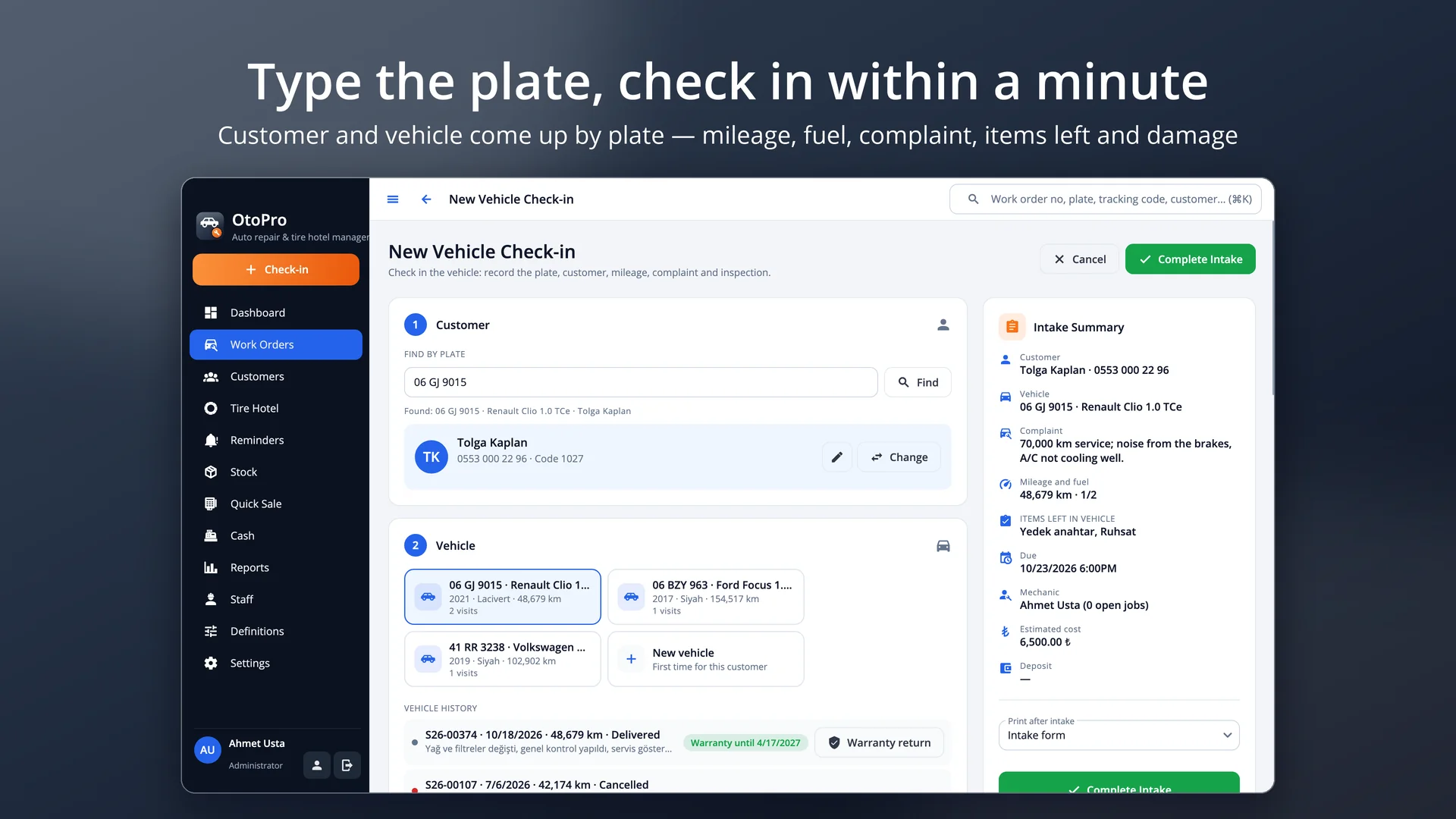
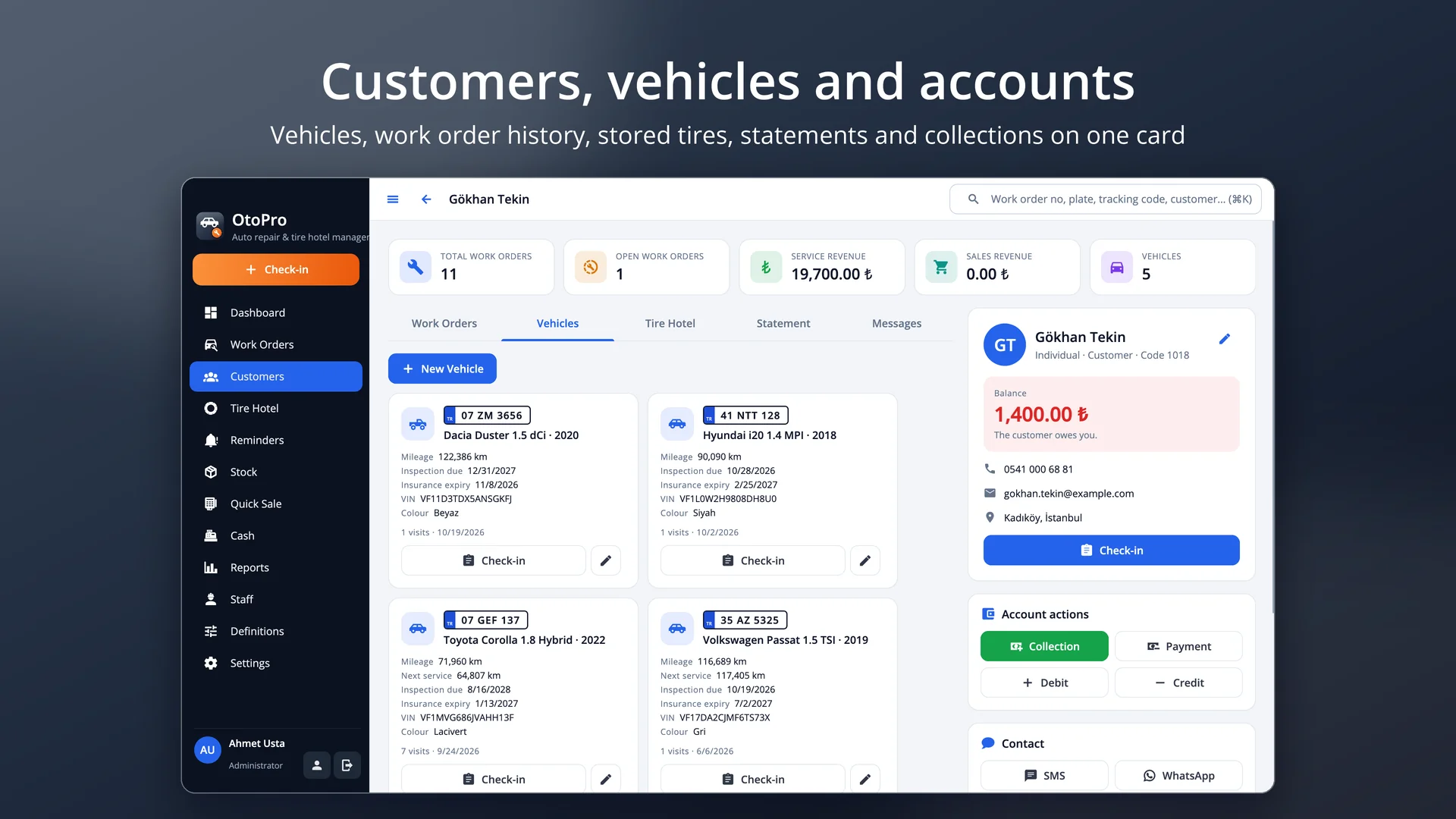
Type the plate: customer, vehicle, last mileage and service history come up instantly; no duplicate plates or VINs.
 OtoPro
Check-in by licence plate, work orders on a drag-and-drop job board, parts and stock, a tire hotel, service / inspection / insurance reminders, payments and reports for auto repair, auto electric, tire and quick-service shops. Runs on macOS, Windows and Linux; your data stays on your own computer.
Free trial · No sign-up or credit card · Your data stays when you activate
Features
Type the plate: customer, vehicle, last mileage and service history come up instantly; no duplicate plates or VINs.
Plate, make, model, model year, fuel, gearbox, VIN, mileage, inspection and insurance expiry, next service.
Mileage, fuel level, complaint / requested work, items left in the vehicle and damage; check-in form signed by the customer.
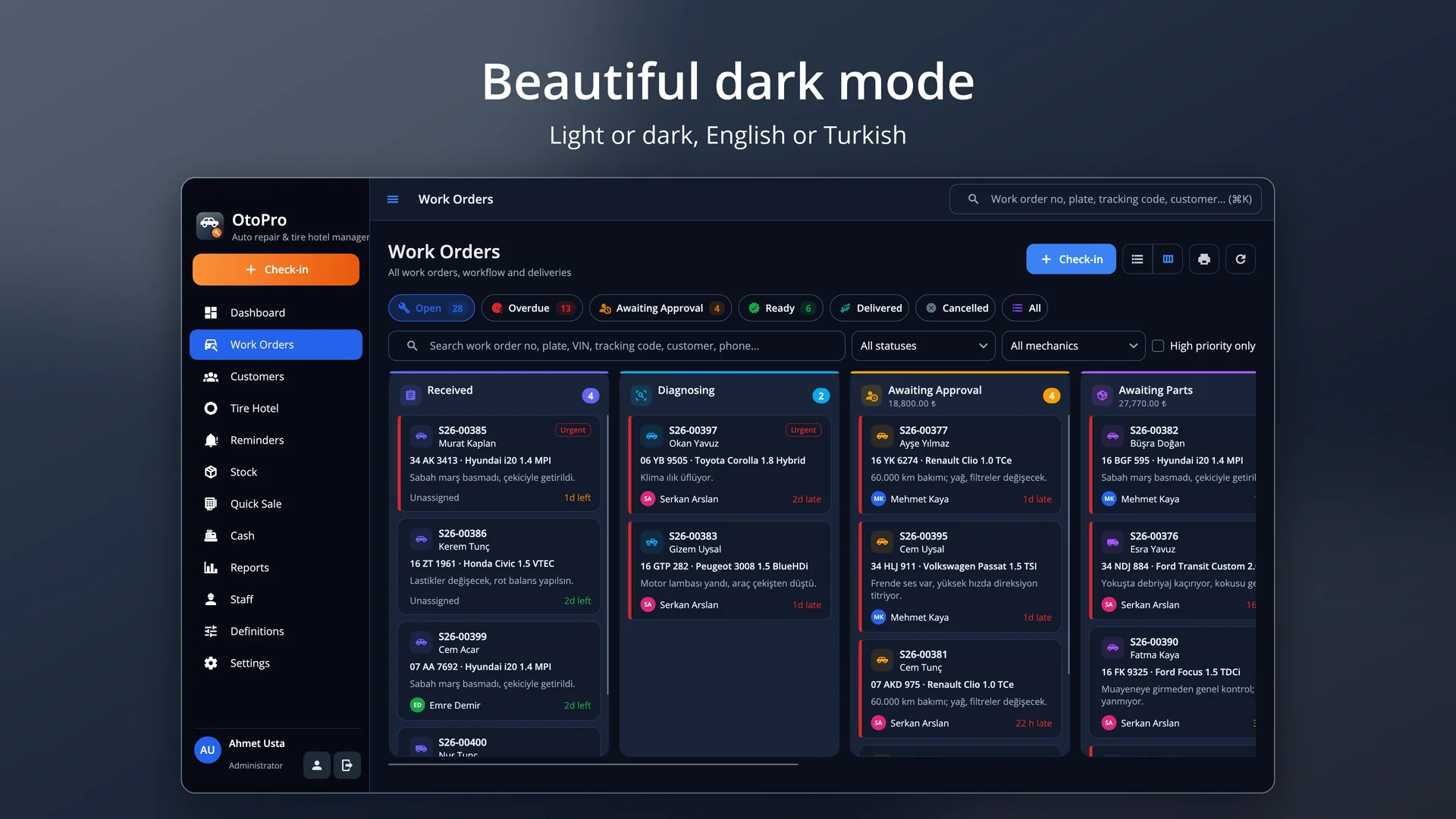
Drag-and-drop stages, overdue jobs, mechanic assignment and workload; quotes and approval, external work tracking.
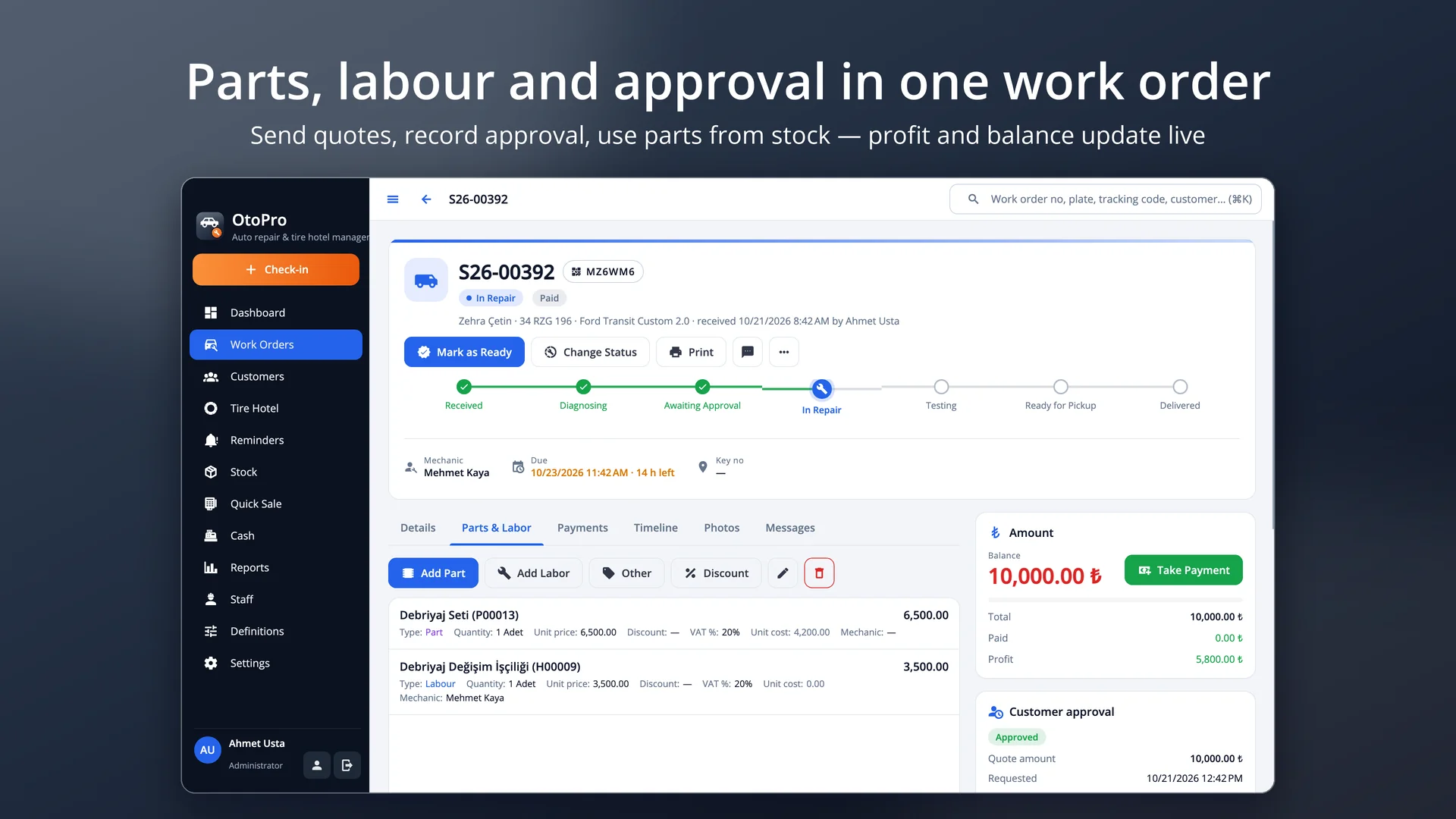
Parts come out of stock; labour, discounts and deposits; profit and balance update live.
Cash, card, transfer or account; workshop warranty, delivery form and the next service km / date on the vehicle card.
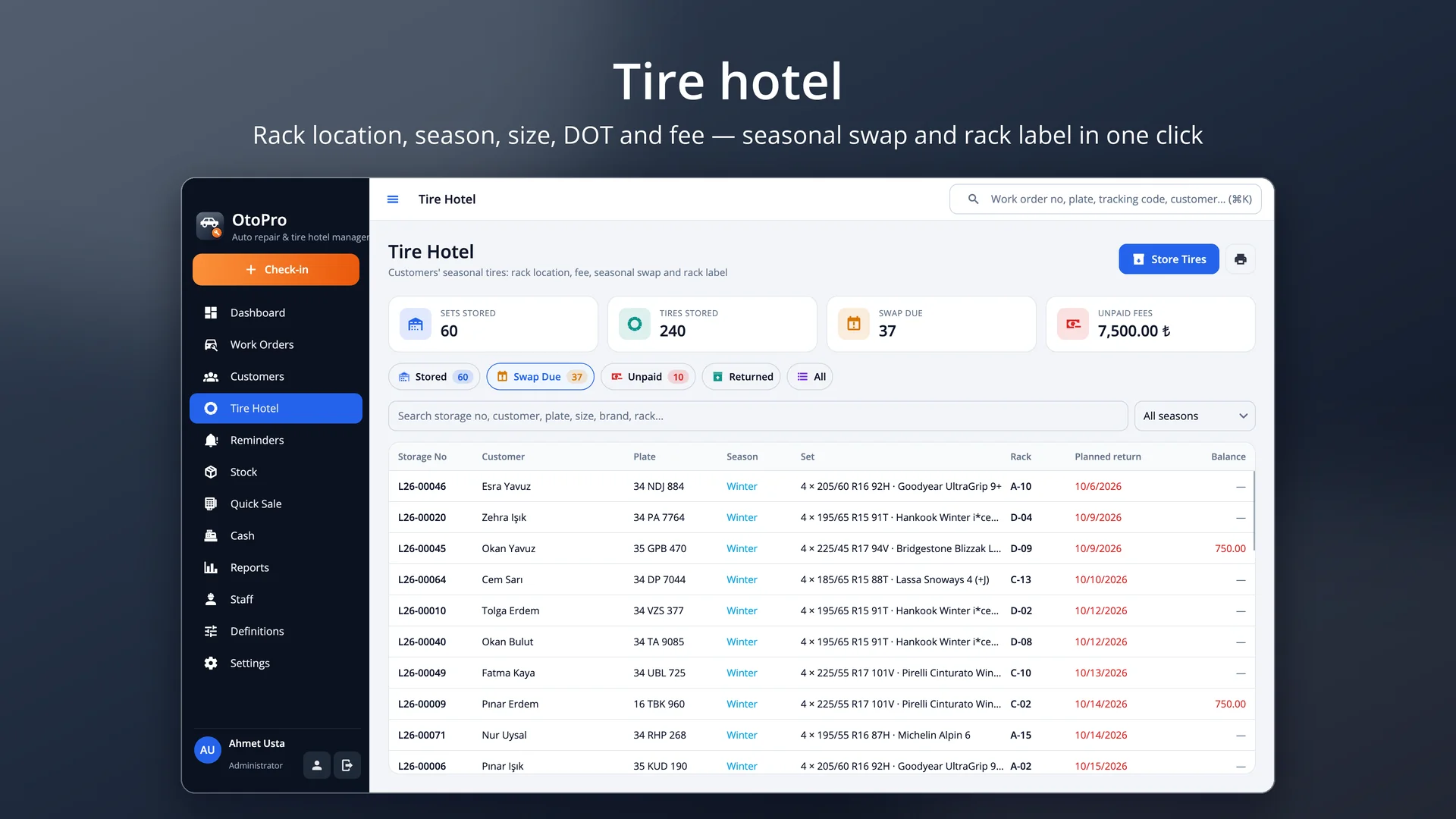
Rack location, season, brand, size, DOT, tread depth, quantity and rims; storage fee to the till or the account.
Stored set returned and the removed set into the same rack in one step; barcoded tire rack label.
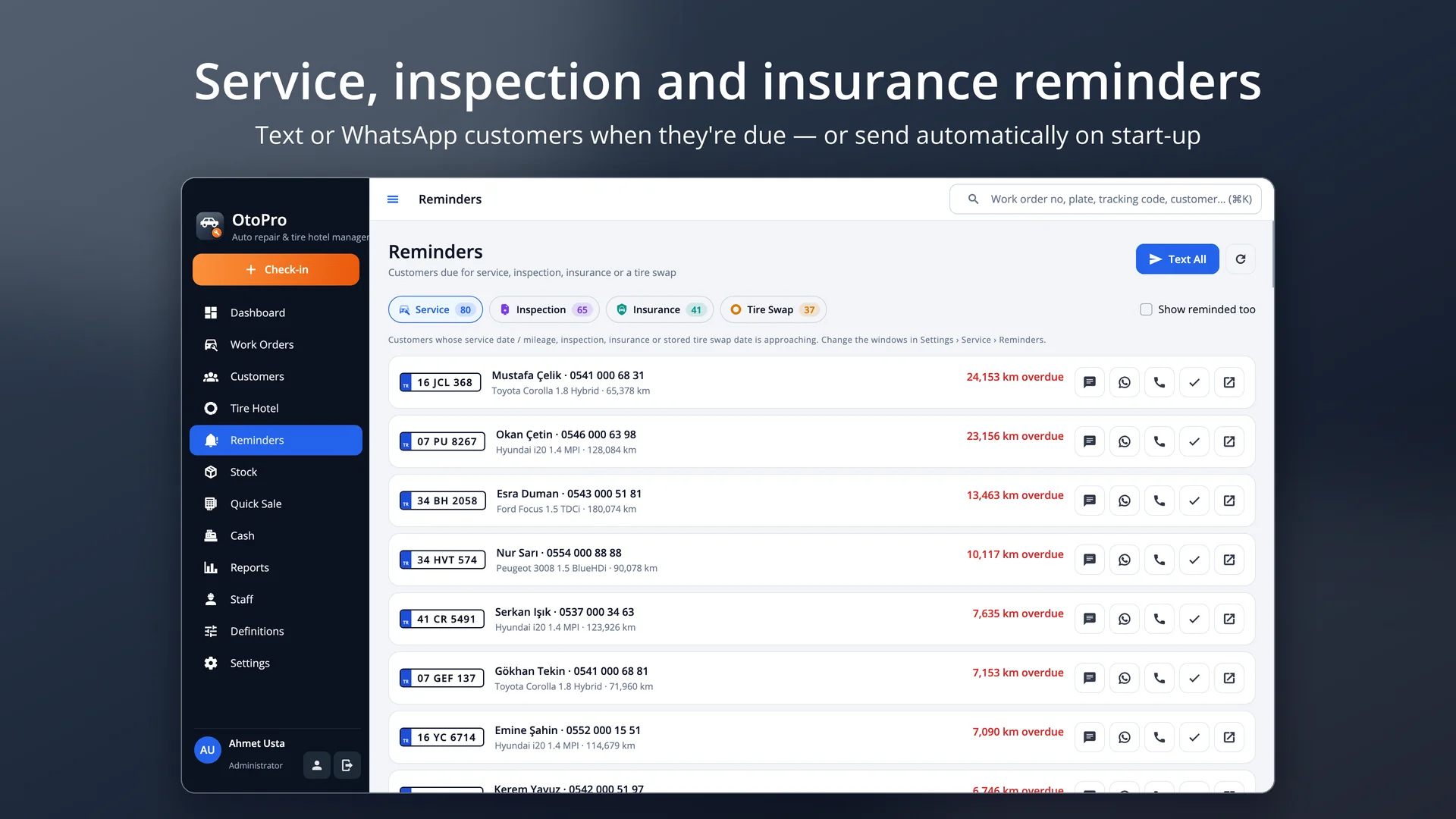
Service (date or km), inspection, insurance and tire swap; SMS / WhatsApp or automatic on start-up.
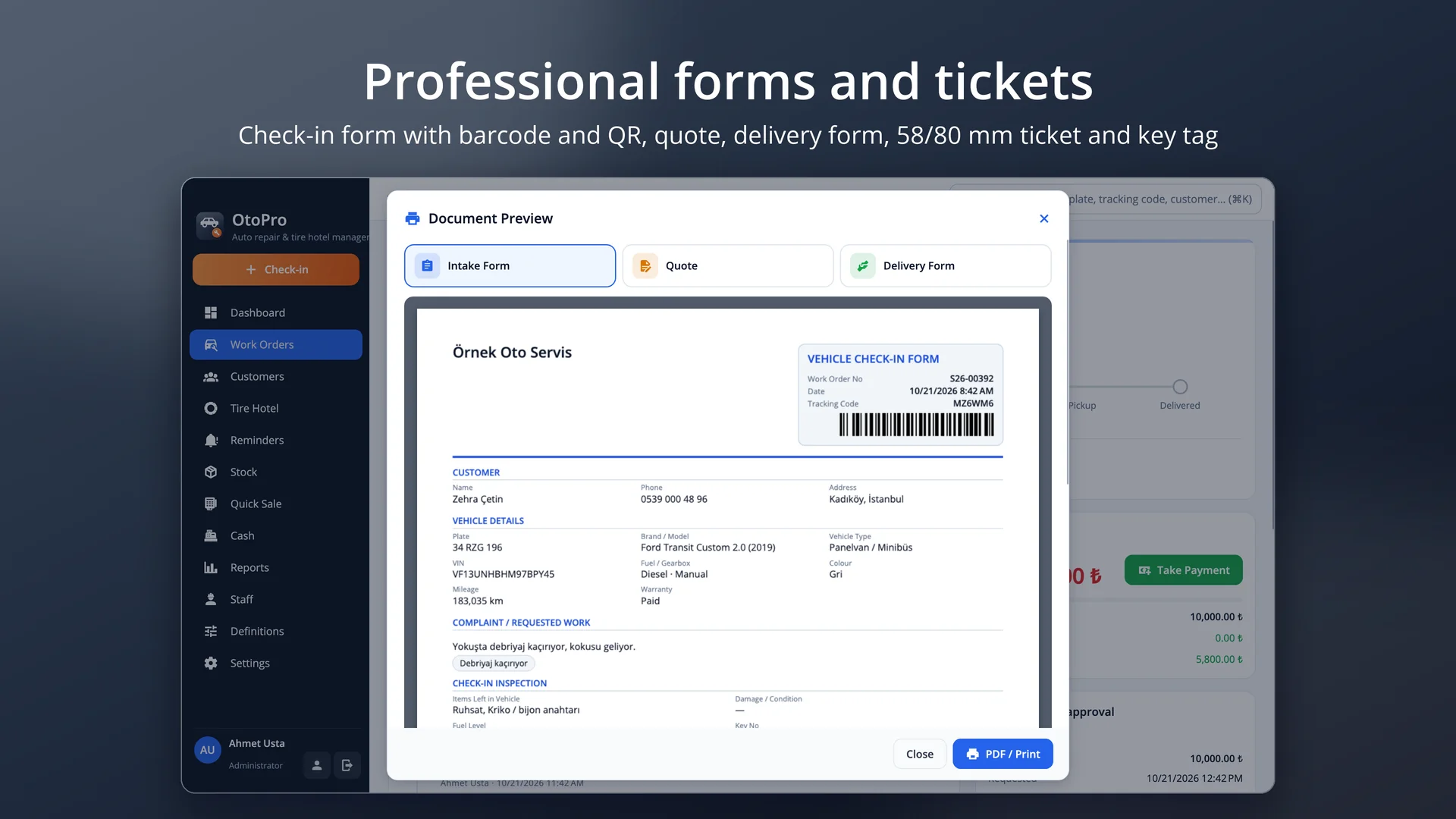
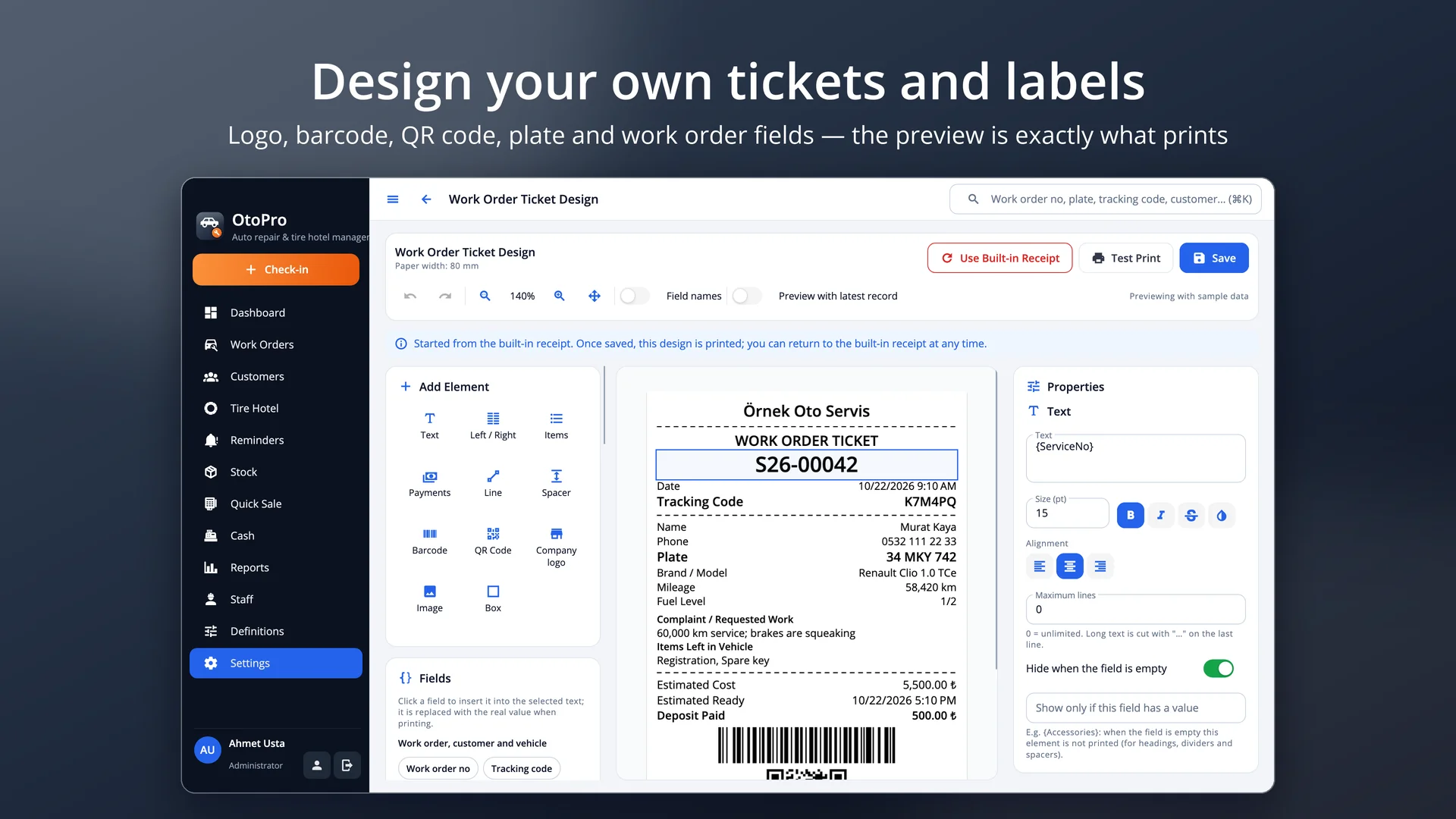
Check-in form, quote, delivery form, 58 / 80 mm ticket, key tag and rack label; Design Studio.
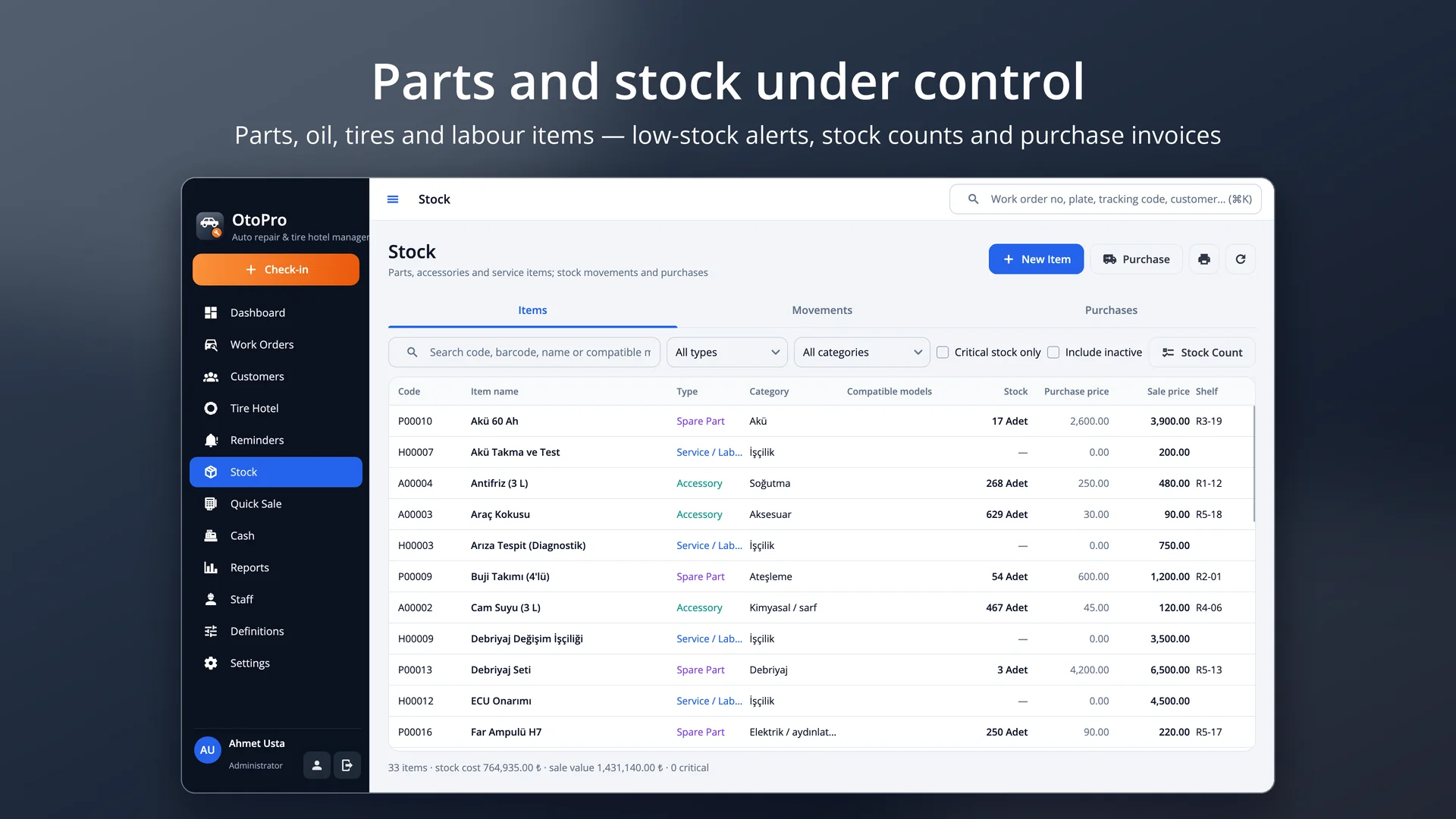
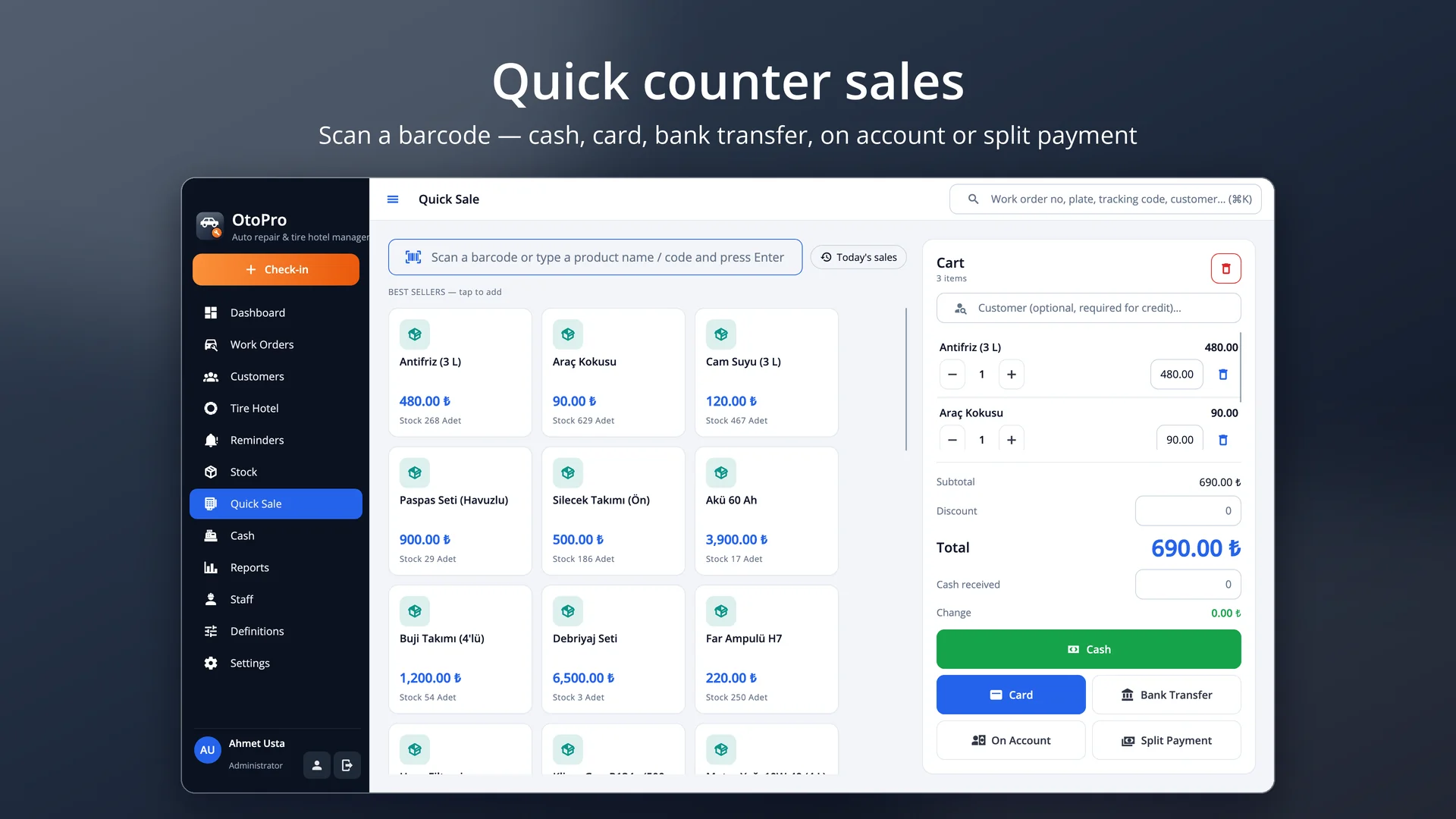
Parts, oil and tire items, low-stock alerts, purchase invoices; quick barcode sales, till and end of day.
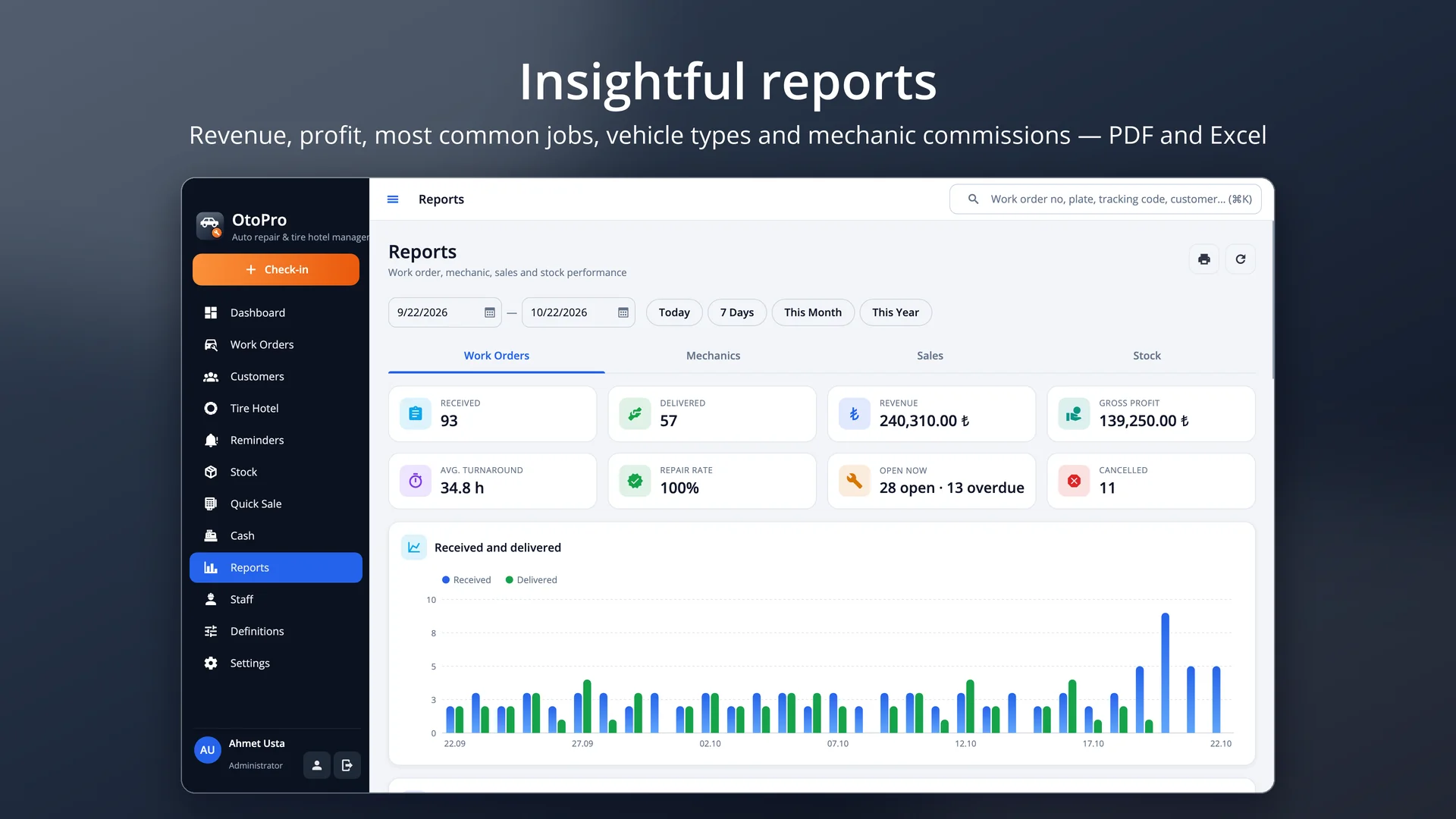
Revenue, profit, most common jobs, vehicle type and make breakdowns, mechanic commissions; permission presets and encrypted backups.
When a car pulls in, type its plate: the customer and the vehicle come up with the last mileage and the full service history. For a new vehicle enter the plate, make, model, model year, fuel, gearbox and VIN; the same plate or VIN can't be opened on a second card. Mileage at check-in, fuel level, the complaint / requested work, items left in the vehicle (registration, spare wheel, spare key…) and damage are recorded with a few taps. The check-in form, work order ticket and a key tag with the plate print automatically.
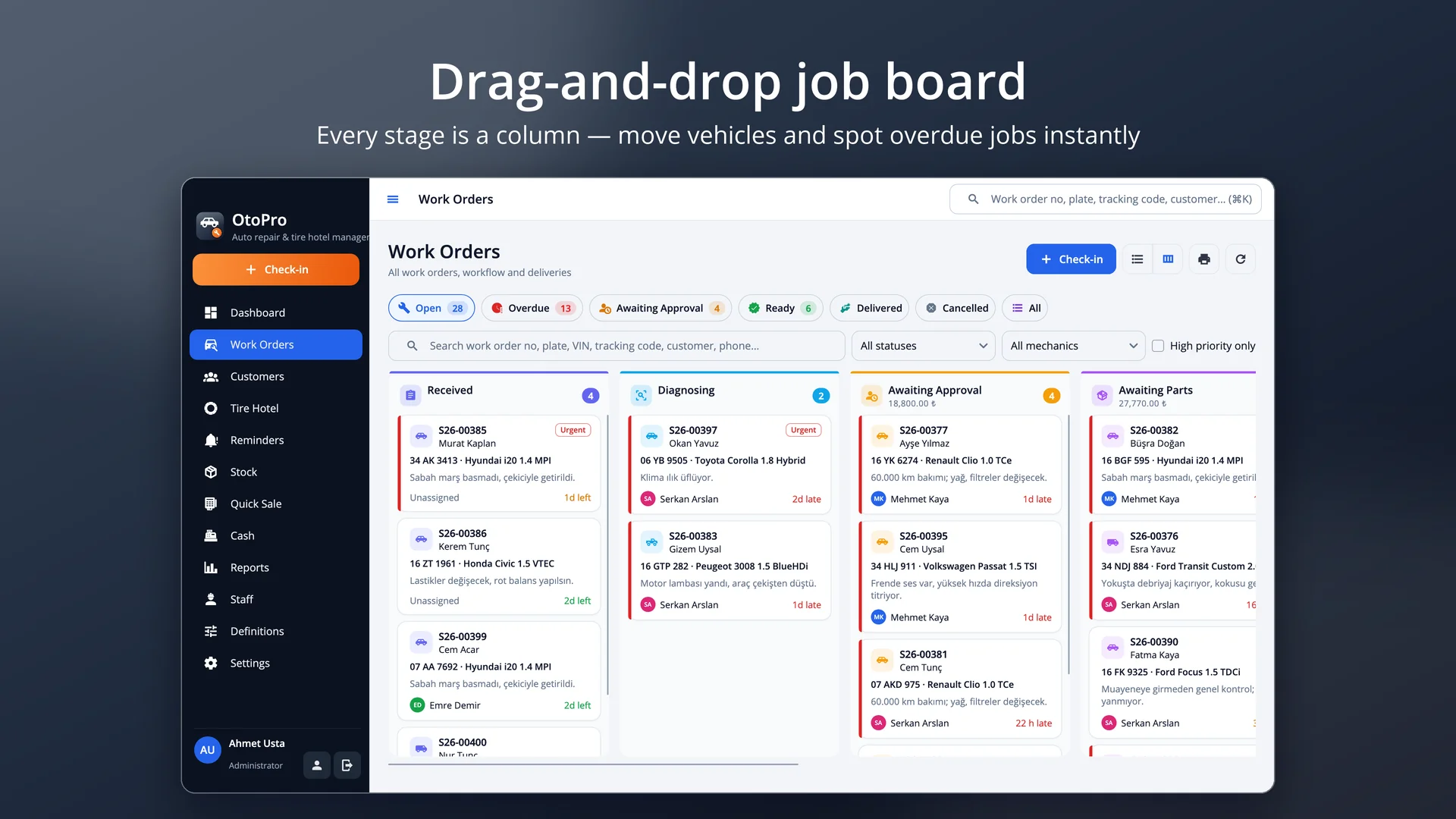
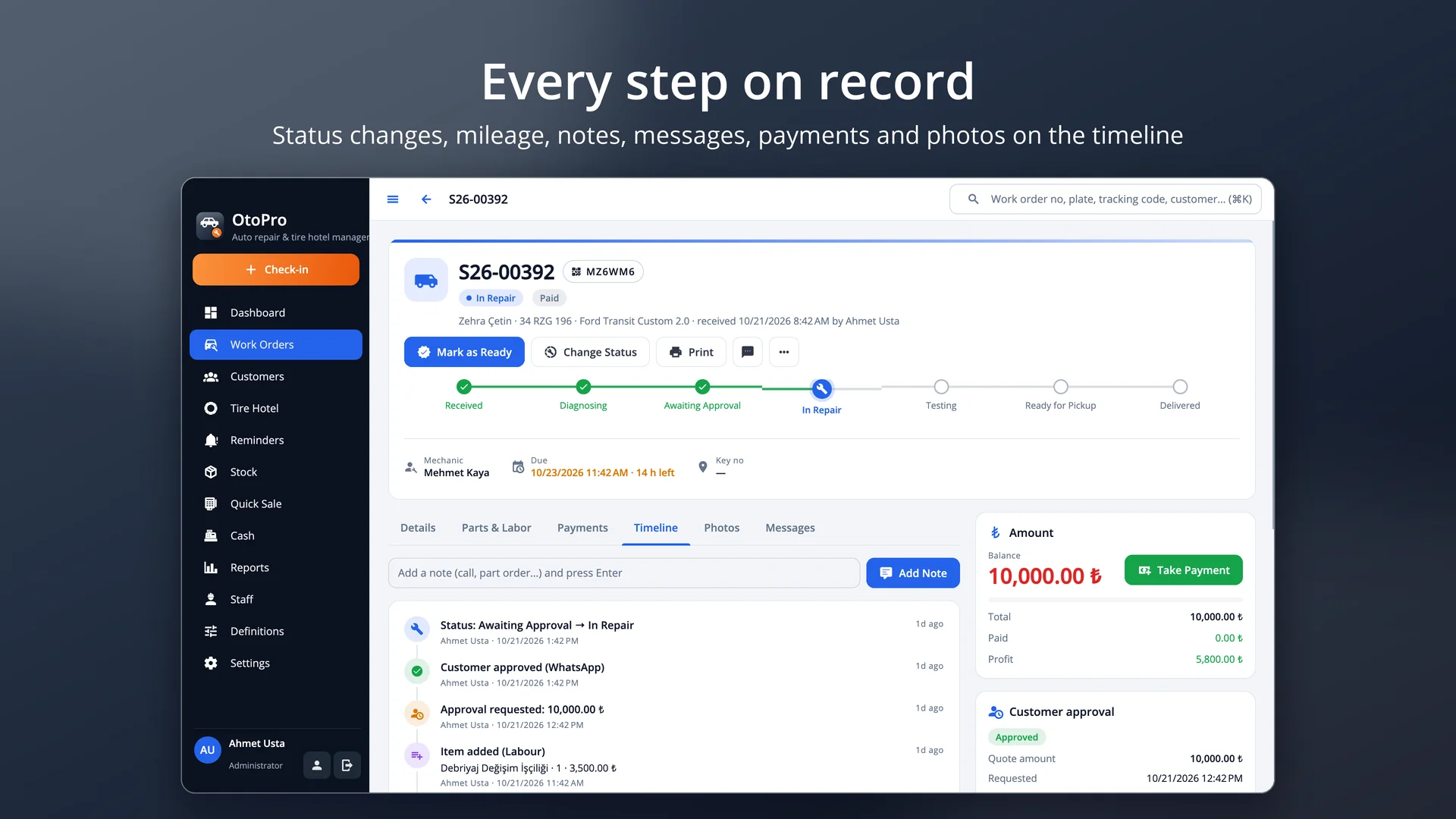
Every stage is a column: drag the vehicle from check-in to diagnosis, from awaiting approval or parts to repair, from testing to ready. Overdue jobs stand out in red and each mechanic's workload is on the dashboard. Send a quote and record approval; jobs sent out — ECU, gearbox or bodywork — are tracked as external work. Parts used come out of stock and profit and balance update live.
Store customers' summer and winter sets with a rack location: brand, size, DOT, tread depth, quantity and rims in one record; a rack can't hold two sets. The storage fee is collected on intake or charged to the account. At the seasonal swap the stored set is returned and the set taken off the car goes into the same rack in one step; a barcoded rack label prints.
At delivery the next service mileage and date are written to the vehicle card. Customers due for service, whose inspection or insurance is expiring, or whose stored tires are due for a swap are listed on the Reminders screen — remind them by SMS or WhatsApp in one click, or let the app send them automatically on start-up. Each record is reminded once per period.
A4 / A5 check-in form with QR code and barcode, quote, delivery form, 58 / 80 mm thermal ticket, key tag and tire rack label — design them all yourself in the Design Studio. Cash, card, transfer or account at delivery; quick barcode sales, the till and the end of day. Revenue, profit, most common jobs, make and vehicle-type breakdowns and mechanic commissions, exported to PDF and Excel.
OtoPro needs no cloud subscription: data is kept on your own computer and backed up automatically, optionally encrypted. Everyone works with their own account and permissions (mechanic, service advisor and manager presets), and every action is logged.
Pricing
Try it free first. To buy, pick a package and contact us — we will send your licence key right away.
Start now, stop any time.
400 ₺ / month
Excl. VAT
Licence key delivered by email
A full year of uninterrupted use.
Save 27% 3 months free
4,800 ₺
3,490 ₺
/ year
Excl. VAT · just 291 ₺ per month
Licence key delivered by email
Pay once, use it for good.
Lifetime use for the price of 23 months
8,990 ₺ one-time
Excl. VAT
Licence key delivered by email
Purchases are not made on the website. Just send us the device code shown in Help › Licence in the app.
Download
The trial runs with every feature and no time limit (50 work orders, 50 customers, 50 stock items, 15 sets in the tire hotel, 10 sales and 5 messages a day). Use "Try with sample data" on first launch to explore with vehicles, work orders, a tire hotel and reminders; your data is kept when you activate a licence.
Version 1.0.0 · 22 October 2026 · 50 MB
macOS 12 veya üzeri · Apple Silicon ve Intel
Download (OtoPro-1.0.0-macOS.dmg)86e70c015f85f11411b45876689b20caf3e4a27b372563f12f9cb24119893d3d
Version 1.0.0 · 22 October 2026
Ubuntu 22.04+ · Debian 12+ · Fedora 39+ · x64 ve ARM64
a708f9ad8cedaf052a27426446e757a3ae5b1d5e515db9936123331d3a8ceccea2ad72567bbc18917fd173f7ccd3de61115c2eb95b50d8884dcd2c4059cf7860abfd5b3d46f96d3ca1b3c7deaae9dad69bac00be24cef0e751256509c32b1409ca83a62eeca4e87463f4123eba3c9dd28f17d1d6cc5dddee1c59533f44e7f0ec70e4e865151327e6e2d0845ae4070367fa39560507d649e86db6b7a89379613ac6535efa9f01ae2648a769d257354904f2bfe049fcead9b75c9356b1a31fe245e4055825ac376f8ff7bac9a01a998e16b30fd05f9f6d9f0acba98febfa8e665e910c54640ff04230d16b95d5a9573601ab23ca065ff055a9bbe73c8c91715babWindows: The installer is coming soon. Write to us to be notified.
FAQ
There is no time limit. The trial has every feature, limited to 50 work orders, 50 customers, 50 stock items, 15 sets in the tire hotel, 10 sales and 5 messages a day. Your data stays as it is when you activate a licence.
The "Buy Licence" button in Settings › License sends us your device code. Paste the licence key we send you into the same screen and press Activate.
At check-in type the plate (with or without spaces) into "Find by plate" and press Enter; for a known vehicle the customer and vehicle are selected and the last mileage is suggested. Press Ctrl + K on any screen to search by plate, VIN or work order number.
Enter the storage fee when you store a set and collect it right away if you like. Unpaid fees have their own tab; at return the remainder can be charged to the customer's account.
The Reminders screen lists customers due for service, inspection, insurance or a tire swap; send them an SMS or WhatsApp in one click. If enabled in settings, SMS reminders go out automatically on start-up to customers who opted in.
No. The app and your data run on your computer; the internet is only used for SMS / e-mail, WhatsApp links and update checks.
Yes. The work order ticket, sales receipt, key tag and tire rack label are edited in the Design Studio with a logo, barcode, QR code and fields; the preview is exactly what prints.
Restore your backup on the new computer; the licence is bound to the device, so contact us with the new device code to transfer it.
Free consultation
In a short call we listen to your needs and work out the scope and a realistic timeline together. It is free and there is no commitment.